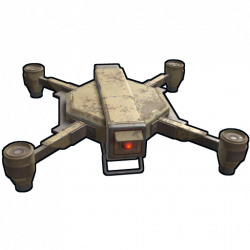
Allows players to ride RC drones by standing on them or mounting a chair
Supported Games



works with
Features
- Allows players to deploy signs onto RC drones to allow standing/riding on them
- Allows players to deploy chairs onto RC drones
- Allows players to pilot RC drones while sitting in the chair
Seating modes
When a player is sitting in a drone chair, they will be in one of three modes:
- Pilot mode
- Controls drone movement
- Locks player view angles to the drone, like a helicopter pilot seat
- Does not allow holding items
- Passenger mode
- Allows looking around freely
- Allows holding items, shooting, building
- Hybrid mode
- Controls drone movement
- Allows looking around freely
- Allows holding items, shooting, building
Players with the ridabledrones.chair.pilot permission will start in Pilot mode by default, and can switch between Pilot and Hybrid modes using the swap seats key (default: X). Players without that permission will be locked to passenger mode.
Permissions
ridabledrones.sign.deploy-- Allows the player to deploy a small wooden sign onto a drone using thedronesigncommand.ridabledrones.sign.deploy.free-- Allows using thedronesigncommand for free (no sign item required).ridabledrones.chair.deploy-- Allows the player to deploy a chair onto a drone using thedronechair.ridabledrones.chair.deploy.free-- Allows using thedronechair(a.k.a.dronechair) command for free (no chair item required).ridabledrones.chair.autodeploy-- Drones deployed by players with this permission will automatically have a chair, free of charge.- Note: Reloading the plugin will automatically add chairs to existing drones owned by players with this permission.
- Not recommended if you want to allow players to deploy other attachments such as auto turrets since they are incompatible.
ridabledrones.chair.pilot-- Allows the player to pilot the drone while sitting in its chair.
Notes about free signs/chairs.
- When a chair/sign was deployed for free, it cannot be picked up using a hammer, in order to prevent creating infinite items, but it can removed (i.e., deleted) via the Remover Tool plugin (without refunding the item), and the drone can be picked up despite the presence of the attachment.
- When a chair/sign was deployed for a cost, it can be picked up using a hammer or via the Remover Tool plugin, but the drone cannot be picked up until the attachment is removed.
Commands
dronesign-- Deploys a sign onto the drone the player is looking at, consuming a chair item from their inventory unless they have permission for free signs.dronechair(a.k.a.droneseat) -- Deploys a chair onto the drone the player is looking at, consuming a chair item from their inventory unless they have permission for free chairs.
Configuration
Default configuration:
{
  "Chair tip chance": 25,
  "Sign tip chance": 25
}
Chair tip chance(0-100) -- Chance that a tip message will be shown to a player when they deploy a drone, informing them that they can use the/dronechaircommand. Only applies to players with theridabledrones.chair.deploypermission who do not have theridabledrones.chair.autodeploypermission.Sign tip chance(0-100) -- Chance that a tip message will be shown to a player when they deploy a drone, informing them that they can use the/dronesigncommand. Only applies to players with theridabledrones.chair.deploypermission.
Recommended compatible plugins
Drone balance:
- Drone Settings -- Allows changing speed, toughness and other properties of RC drones.
- Targetable Drones -- Allows RC drones to be targeted by Auto Turrets and SAM Sites.
- Limited Drone Range -- Limits how far RC drones can be controlled from computer stations.
Drone fixes and improvements:
- Better Drone Collision -- Overhauls RC drone collision damage so it's more intuitive.
- Auto Flip Drones -- Auto flips upside-down RC drones when a player takes control.
- Drone Hover -- Allows RC drones to hover in place while not being controlled.
Drone attachments:
- Drone Lights -- Adds controllable search lights to RC drones.
- Drone Turrets -- Allows players to deploy auto turrets to RC drones.
- Drone Storage -- Allows players to deploy a small stash to RC drones.
- Ridable Drones (This plugin) -- Allows players to deploy signs and chairs onto RC drones to allow riding them.
Developer Hooks
OnDroneSignDeploy
object OnDroneSignDeploy(Drone drone, BasePlayer optionalPlayer)
- Called when a sign is about to be deployed onto a drone
- Returning
falsewill prevent the sign from being deployed - Returning
nullwill result in the default behavior
OnDroneSignDeployed
void OnDroneSignDeployed(Drone drone, BasePlayer optionalDeployer)
- Called after a sign has been deployed onto a drone
- No return behavior
OnDroneChairDeploy
object OnDroneChairDeploy(Drone drone, BasePlayer optionalDeployer)
- Called when a chair is about to be deployed onto a drone
- Returning
falsewill prevent the chair from being deployed - Returning
nullwill result in the default behavior
Note: The BasePlayer argument will be null if the chair is being deployed automatically (not via the dronechair command).
OnDroneChairDeployed
void OnDroneChairDeployed(Drone drone, BasePlayer optionalDeployer)
- Called after a chair has been deployed onto a drone
- No return behavior
OnDroneControlStarted
void OnDroneControlStarted(Drone drone, BasePlayer pilot)
- Called when a player mounts a drone chair while having the pilot permission
- Also called when a pilot switches seating modes
- No return behavior
OnDroneControlEnded
void OnDroneControlEnded(Drone drone, BasePlayer pilot)
- Called after a pilot has dismounted a drone chair
- Also called when a pilot switches seating modes
- No return behavior
MIT License
Permission is hereby granted, free of charge, to any person obtaining a copy
of this software and associated documentation files (the "Software"), to deal
in the Software without restriction, including without limitation the rights
to use, copy, modify, merge, publish, distribute, sublicense, and/or sell
copies of the Software, and to permit persons to whom the Software is
furnished to do so, subject to the following conditions:
The above copyright notice and this permission notice shall be included in all
copies or substantial portions of the Software.
THE SOFTWARE IS PROVIDED "AS IS", WITHOUT WARRANTY OF ANY KIND, EXPRESS OR
IMPLIED, INCLUDING BUT NOT LIMITED TO THE WARRANTIES OF MERCHANTABILITY,
FITNESS FOR A PARTICULAR PURPOSE AND NONINFRINGEMENT. IN NO EVENT SHALL THE
AUTHORS OR COPYRIGHT HOLDERS BE LIABLE FOR ANY CLAIM, DAMAGES OR OTHER
LIABILITY, WHETHER IN AN ACTION OF CONTRACT, TORT OR OTHERWISE, ARISING FROM,
OUT OF OR IN CONNECTION WITH THE SOFTWARE OR THE USE OR OTHER DEALINGS IN THE
SOFTWARE.
Permission is hereby granted, free of charge, to any person obtaining a copy
of this software and associated documentation files (the "Software"), to deal
in the Software without restriction, including without limitation the rights
to use, copy, modify, merge, publish, distribute, sublicense, and/or sell
copies of the Software, and to permit persons to whom the Software is
furnished to do so, subject to the following conditions:
The above copyright notice and this permission notice shall be included in all
copies or substantial portions of the Software.
THE SOFTWARE IS PROVIDED "AS IS", WITHOUT WARRANTY OF ANY KIND, EXPRESS OR
IMPLIED, INCLUDING BUT NOT LIMITED TO THE WARRANTIES OF MERCHANTABILITY,
FITNESS FOR A PARTICULAR PURPOSE AND NONINFRINGEMENT. IN NO EVENT SHALL THE
AUTHORS OR COPYRIGHT HOLDERS BE LIABLE FOR ANY CLAIM, DAMAGES OR OTHER
LIABILITY, WHETHER IN AN ACTION OF CONTRACT, TORT OR OTHERWISE, ARISING FROM,
OUT OF OR IN CONNECTION WITH THE SOFTWARE OR THE USE OR OTHER DEALINGS IN THE
SOFTWARE.