Supported Games



Features
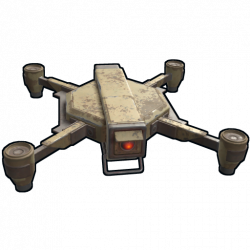
- Limits how far RC drones can be controlled from computer stations
- Allows configuring range limits per player using permissions
- Displays a UI while piloting a drone, showing current and max range, and which changes color near max range
No-plugin alternative
Since the March 2023 Rust update, you can now control max drone range using the drone.maxcontrolrange ConVar. However, this plugin is still useful if you want to change max drone range for specific players.
Permissions
The following permissions come with the plugin's default configuration. Granting one to a player determines how far they can pilot drones away from computer stations, overriding the default. Granting multiple profiles to a player will cause only the last one to apply, based on the order in the config.
limiteddronerange.short-- 250mlimiteddronerange.medium-- 500mlimiteddronerange.long-- 1000mlimiteddronerange.unlimited-- No limit
You can add more profiles in the plugin configuration (ProfilesRequiringPermission), and the plugin will automatically generate permissions of the format limiteddronerange.<suffix> when reloaded.
Configuration
Default configuration:
{
  "DefaultMaxRange": 500,
  "ProfilesRequiringPermission": [
    {
      "PermissionSuffix": "short",
      "MaxRange": 250
    },
    {
      "PermissionSuffix": "medium",
      "MaxRange": 500
    },
    {
      "PermissionSuffix": "long",
      "MaxRange": 1000
    },
    {
      "PermissionSuffix": "unlimited",
      "MaxRange": 0
    }
  ],
  "UISettings": {
    "AnchorMin": "0.5 0",
    "AnchorMax": "0.5 0",
    "OffsetMin": "0 47",
    "OffsetMax": "0 47",
    "TextSize": 24,
    "DefaultColor": "0.75 0.75 0.75 1",
    "OutOfRangeColor": "1 0.2 0.2 1",
    "DynamicColors": [
      {
        "DistanceRemaining": 100,
        "Color": "1 0.5 0 1"
      },
      {
        "DistanceRemaining": 50,
        "Color": "1 0.2 0.2 1"
      }
    ],
    "SecondsBetweenUpdates": 0.5
  }
}
DefaultMaxRange-- Max range for players who do not have permission to any profiles inProfilesRequiringPermission.ProfilesRequiringPermission-- Each profile in this list generates a permission likelimiteddronerange.<suffix>. Granting a profile to a player determines how far they can pilot drones away from the host computer station, overridingDefaultMaxRange.PermissionSuffix-- Determines the generated permission of formatlimiteddronerange.<suffix>.MaxRange-- Determines the max range for players with this profile.
UISettings-- Options to control the display of the UI.
Localization
{
  "UI.Distance": "{0}m / {1}m",
  "UI.OutOfRange": "OUT OF RANGE"
}
Recommended compatible plugins
Drone balance:
- Drone Settings -- Allows changing speed, toughness and other properties of RC drones.
- Targetable Drones -- Allows RC drones to be targeted by Auto Turrets and SAM Sites.
- Limited Drone Range (This plugin) -- Limits how far RC drones can be controlled from computer stations.
Drone fixes and improvements:
- Better Drone Collision -- Overhauls RC drone collision damage so it's more intuitive.
- Auto Flip Drones -- Auto flips upside-down RC drones when a player takes control.
- Drone Hover -- Allows RC drones to hover in place while not being controlled.
Drone attachments:
- Drone Lights -- Adds controllable search lights to RC drones.
- Drone Turrets -- Allows players to deploy auto turrets to RC drones.
- Drone Storage -- Allows players to deploy a small stash to RC drones.
- Ridable Drones -- Allows players to ride RC drones by standing on them or mounting a chair.
Developer Hooks
OnDroneRangeLimit
object OnDroneRangeLimit(Drone drone, ComputerStation station, BasePlayer player)
- Called after a player has started controlling a drone, when this plugin is about to start limiting its max range
- Returning
falsewill prevent this plugin from limiting the drone's max range or showing a UI to the player - Returning
nullwill result in the default behavior
Permission is hereby granted, free of charge, to any person obtaining a copy
of this software and associated documentation files (the "Software"), to deal
in the Software without restriction, including without limitation the rights
to use, copy, modify, merge, publish, distribute, sublicense, and/or sell
copies of the Software, and to permit persons to whom the Software is
furnished to do so, subject to the following conditions:
The above copyright notice and this permission notice shall be included in all
copies or substantial portions of the Software.
THE SOFTWARE IS PROVIDED "AS IS", WITHOUT WARRANTY OF ANY KIND, EXPRESS OR
IMPLIED, INCLUDING BUT NOT LIMITED TO THE WARRANTIES OF MERCHANTABILITY,
FITNESS FOR A PARTICULAR PURPOSE AND NONINFRINGEMENT. IN NO EVENT SHALL THE
AUTHORS OR COPYRIGHT HOLDERS BE LIABLE FOR ANY CLAIM, DAMAGES OR OTHER
LIABILITY, WHETHER IN AN ACTION OF CONTRACT, TORT OR OTHERWISE, ARISING FROM,
OUT OF OR IN CONNECTION WITH THE SOFTWARE OR THE USE OR OTHER DEALINGS IN THE
SOFTWARE.