



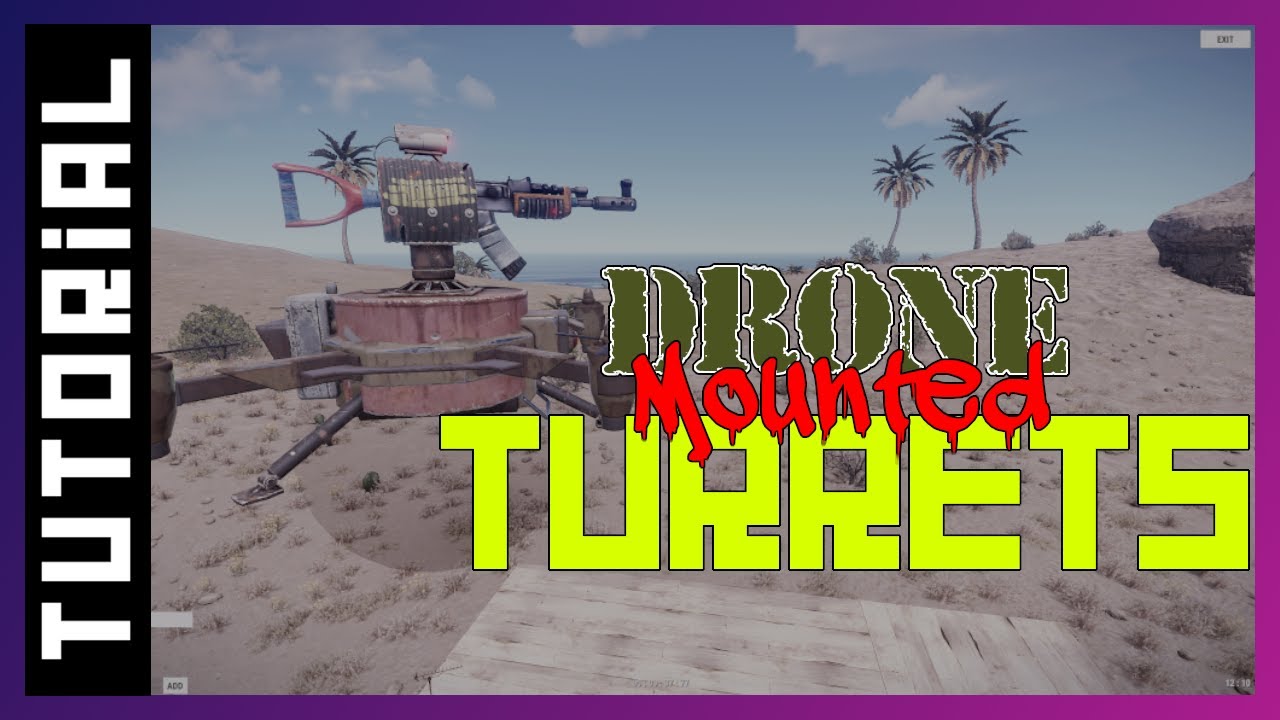
Video tutorial
Features
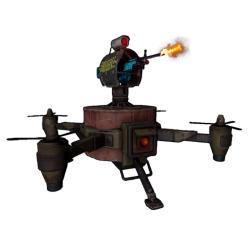
- Allows players with permission to deploy auto turrets onto RC drones
- Allows moving the drone while controlling the turret
- (Balance) Configurable turret range
- (Balance) Optionally disable targeting of players, NPCs and animals
- (Balance) Optionally prevent players from remote-controlling drone turrets (can control only the drone)
- (Balance) Optional flashing light and audio alarm to alert players of nearby drone turrets
- (Balance) Integrates with Drone Settings to allow configuring speed and toughness
Known issues
Since the March 2023 Rust update, drones now sway in the wind, but attached entities do not sway. This causes undesirable visuals to players observing a drone that is being controlled. There is no known fix at this time.
Permissions
droneturrets.deploy-- Required to use thedroneturretcommand.droneturrets.deploynpc-- Required to use thedronenpcturretcommand.droneturrets.deploy.free-- Allows using thedroneturretcommand for free (no auto turret item required).droneturrets.autodeploy-- Deploying a drone while you have this permission will automatically deploy an auto turret to it, free of charge.- Not recommended if you want to allow players to deploy other attachments such as stashes since they are incompatible.
droneturrets.control-- Allows remotely controlling drone turrets. Only necessary while theRequirePermissionToControlDroneTurretsconfig option is set totrue.
Commands
droneturret-- Deploys an auto turret onto the drone the player is looking at, consuming an auto turret item from their inventory unless they have permission for free turrets.dronenpcturret-- Deploys an NPC auto turret onto the drone the player is looking at. Does not consume any items. NPC turrets are the ones found at safe zone monuments such as fishing villages.
Configuration
Default configuration:
{
  "RequirePermissionToControlDroneTurrets": false,
  "TargetPlayers": true,
  "TargetNPCs": true,
  "TargetAnimals": true,
  "EnableAudioAlarm": false,
  "EnableSirenLight": false,
  "TurretRange": 30.0,
  "TipChance": 25
}
RequirePermissionToControlDroneTurrets(trueorfalse) -- Determines whether players require thedroneturrets.controlpermission to remotely control turrets attached to drones. Whilefalse, anybody can control drone turrets. While a player is prohibited from controlling drone turrets, they can still view the turrets perspective. Note: NPC auto turrets and peacekeeper turrets cannot be viewed under any circumstances.TargetPlayers(trueorfalse) -- Determines whether drone-mounted turrets should target real players.TargetNPCs(trueorfalse) -- Determines whether drone-mounted turrets should target NPCs.TargetAnimals(trueorfalse) -- Determines whether drone-mounted turrets should target NPC animals such as bears.EnableAudioAlarm(trueorfalse) -- Determines whether drone-mounted turrets should play an audio alarm for nearby players to hear, while the turret is powered, and while the drone is being controlled or hovering.EnableSirenLight(trueorfalse) -- Determines whether drone-mounted turrets should have a flashing siren light to warn nearby players, while the turret is powered, and while the drone is being controlled or hovering.TurretRange(trueorfalse) -- The range of drone-mounted turrets.TipChance(0-100) -- Chance that a tip message will be shown to a player when they deploy a drone, informing them that they can use the/droneturretcommand. Only applies to players with thedroneturrets.deploypermission who do not have thedroneturrets.autodeploypermission.
Localization
{
  "Tip.DeployCommand": "Tip: Look at the drone and run <color=yellow>/droneturret</color> to deploy a turret.",
  "Error.NoPermission": "You don't have permission to do that.",
  "Error.NoDroneFound": "Error: No drone found.",
  "Error.BuildingBlocked": "Error: Cannot do that while building blocked.",
  "Error.NoTurretItem": "Error: You need an auto turret to do that.",
  "Error.AlreadyHasTurret": "Error: That drone already has a turret.",
  "Error.IncompatibleAttachment": "Error: That drone has an incompatible attachment.",
  "Error.DeployFailed": "Error: Failed to deploy turret.",
  "Error.CannotPickupWithTurret": "Cannot pick up that drone while it has a turret."
}
FAQ
Is it possible to remove the black sphere?
Yes, by installing Entity Scale Manager and configuring it to hide spheres after resize. However, there is a significant performance cost to enabling that feature, so enable it cautiously, and disable it if it doesn't work out.
Why do the NPC auto turrets not have switches?
Switches don't spawn on NPC auto turrets because the player wouldn't be able to interact with them anyway, due to the collider being too large client-side. This cannot be addressed by a plugin without moving the switch out to an awkward position further away from the turret.
Can I use the NPC auto turrets that are seen in the Outpost monument?
No. These "scientist" turrets were tested on drones during development, but they have an issue where they sometimes disappear client-side when they move away from their spawn origin. That issue is difficult to work around, so this plugin supports only the "bandit" turrets.
Recommended compatible plugins
Drone balance:
- Drone Settings -- Allows changing speed, toughness and other properties of RC drones.
- Targetable Drones -- Allows RC drones to be targeted by Auto Turrets and SAM Sites.
- Limited Drone Range -- Limits how far RC drones can be controlled from computer stations.
Drone fixes and improvements:
- Better Drone Collision -- Overhauls RC drone collision damage so it's more intuitive.
- Auto Flip Drones -- Auto flips upside-down RC drones when a player takes control.
- Drone Hover -- Allows RC drones to hover in place while not being controlled.
Drone attachments:
- Drone Lights -- Adds controllable search lights to RC drones.
- Drone Turrets (This plugin) -- Allows players to deploy auto turrets to RC drones.
- Drone Storage -- Allows players to deploy a small stash to RC drones.
- Ridable Drones -- Allows players to ride RC drones by standing on them or mounting a chair.
Turret plugins:
- Better Turret Aim -- Allows mobile turrets to track targets more quickly.
- Turret Loadouts -- Automatically fills turrets with weapons and ammo when deployed.
- Turret Weapons -- Allows turrets to accept more weapon types such as grenade launchers and rocket launchers.
Developer API
API_DeployAutoTurret
Plugins can call this API to deploy an auto turret to a drone. The BasePlayer parameter is optional, but providing it is recommended because it will automatically authorize the player and allows for compatibility with plugins that automatically add weapons and ammo to the turret when deployed.
AutoTurret API_DeployAutoTurret(Drone drone, BasePlayer player)
The return value will be the newly deployed auto turret, or null if the turret was not deployed for any of the following reasons.
- The drone already had an auto turret or other incompatible attachment
- Another plugin blocked it with the
OnDroneTurretDeployhook
API_DeployNpcAutoTurret
Similar to the API_DeployAutoTurret method, this deploys an NPC auto turret using the prefab that is typically seen at fishing villages. The BasePlayer parameter is optional, but providing it is recommended if initiated via a player action because it will allow plugins that are blocking it with a hook to provide feedback directly to that player.
NPCAutoTurret API_DeployNpcAutoTurret(Drone drone, BasePlayer player)
The return value will be the newly deployed NPC auto turret, or null if the turret was not deployed for any of the following reasons.
- The drone already had an auto turret or other incompatible attachment
- Another plugin blocked it with the
OnDroneNpcTurretDeployhook
Developer Hooks
OnDroneTurretDeploy
object OnDroneTurretDeploy(Drone drone, BasePlayer optionalDeployer)
- Called when an auto turret is about to be deployed onto a drone
- Returning
falsewill prevent the auto turret from being deployed - Returning
nullwill result in the default behavior - The
BasePlayerargument will benullif the turret is being deployed via the API without specifying a player.
OnDroneTurretDeployed
void OnDroneTurretDeployed(Drone drone, AutoTurret autoTurret, BasePlayer optionalDeployer)
- Called after an auto turret has been deployed onto a drone
- No return behavior
- The
BasePlayerargument will benullif the turret was deployed via the API without specifying a player.
OnDroneNpcTurretDeploy
object OnDroneNpcTurretDeploy(Drone drone, BasePlayer optionalDeployer)
- Called when an NPC auto turret is about to be deployed onto a drone
- Returning
falsewill prevent the NPC auto turret from being deployed - Returning
nullwill result in the default behavior - The
BasePlayerargument will benullif the turret is being deployed via the API without specifying a player.
OnDroneNpcTurretDeployed
void OnDroneNpcTurretDeployed(Drone drone, NPCAutoTurret autoTurret, BasePlayer optionalDeployer)
- Called after an NPC auto turret has been deployed onto a drone
- No return behavior
- The
BasePlayerargument will benullif the turret was deployed via the API without specifying a player.
OnEntityBuilt
void OnEntityBuilt(Planner planner, GameObject go)
This is an Oxide hook that is normally called when deploying an auto turret or other deployable. To allow for free compatibility with other plugins, this plugin calls this hook whenever an auto turret is deployed to a drone for a player.
- Not called when an auto turret is deployed via the API without specifying a player
- Not called when deploying NPC auto turrets
- The
Plannercan be used to get the player or the auto turret item, while theGameObjectcan be used to get the deployed auto turret.
Permission is hereby granted, free of charge, to any person obtaining a copy
of this software and associated documentation files (the "Software"), to deal
in the Software without restriction, including without limitation the rights
to use, copy, modify, merge, publish, distribute, sublicense, and/or sell
copies of the Software, and to permit persons to whom the Software is
furnished to do so, subject to the following conditions:
The above copyright notice and this permission notice shall be included in all
copies or substantial portions of the Software.
THE SOFTWARE IS PROVIDED "AS IS", WITHOUT WARRANTY OF ANY KIND, EXPRESS OR
IMPLIED, INCLUDING BUT NOT LIMITED TO THE WARRANTIES OF MERCHANTABILITY,
FITNESS FOR A PARTICULAR PURPOSE AND NONINFRINGEMENT. IN NO EVENT SHALL THE
AUTHORS OR COPYRIGHT HOLDERS BE LIABLE FOR ANY CLAIM, DAMAGES OR OTHER
LIABILITY, WHETHER IN AN ACTION OF CONTRACT, TORT OR OTHERWISE, ARISING FROM,
OUT OF OR IN CONNECTION WITH THE SOFTWARE OR THE USE OR OTHER DEALINGS IN THE
SOFTWARE.