after fixing the previous problem (due to my oversight) i find that supply signal drops (set to 3 or 4 pods) now will only have one pod per signal ?
I checked the config and found that the default drop keeps going back to default
"Drop Settings": {
"DropDefault": {
"additionalheight": 0,
"crateAirResistance": 2.0,
"cratesGap": 50,
"despawnMinutes": 15,
"includeStaticItemList": false,
"includeStaticItemListName": "regular",
"includeStaticItemListOnly": false,
"itemDivider": 2,
"maxCrates": 1,
"maxItems": 8,
"minCrates": 1,
"minItems": 8,
"planeSpeed": 35,
"useCustomLootTable": false
Even though it has (repeatedly) been set to
"Drop Settings": {
"DropDefault": {
"additionalheight": 0,
"crateAirResistance": 2.0,
"cratesGap": 25,
"despawnMinutes": 15,
"includeStaticItemList": false,
"includeStaticItemListName": "regular",
"includeStaticItemListOnly": false,
"itemDivider": 2,
"maxCrates": 4,
"maxItems": 18,
"minCrates": 2,
"minItems": 8,
"planeSpeed": 75,
"useCustomLootTable": false
is there any reason for this ?
Keeps resetting to defaultSolved
Checking the code as we speak
Merged post
@pookins - Sent you a PM
FastBurst
Checking the code as we speak
Merged post
@pookins - Sent you a PM
Updated to latest , confirmed install then edited this
"itemDivider": 2,
"maxCrates": 1,
"maxItems": 8,
"minCrates": 1,
"minItems": 8,
"planeSpeed": 35,
"useCustomLootTable": false
to this
"itemDivider": 2,
"maxCrates": 4,
"maxItems": 18,
"minCrates": 2,
"minItems": 8,
"planeSpeed": 75,
"useCustomLootTable": false
and saved it , got confirmation on dashboard of the save, reloaded Fancydrop and it went back to original setting in config,
I will be going back to previous version which (for me) was working 100% , but thanks for all assistance,
Merged post
Now that is a pain in the "a' , everytime i try to download a previous version it downloads this one which does not work for me !!
my only recourse is to go through the .cs file and see if i can change the code to what i want, after all there is no point in having a choice of min/max crates if all you get is 1 no matter what you change in the config.
@pookins Click on the previous version and then click the little download arrow icon, downsloads 2.9.5 just fine. I have the config saving in the version I am working on just fine. Jus thaving some issues with it not creating the plane itself with those settings.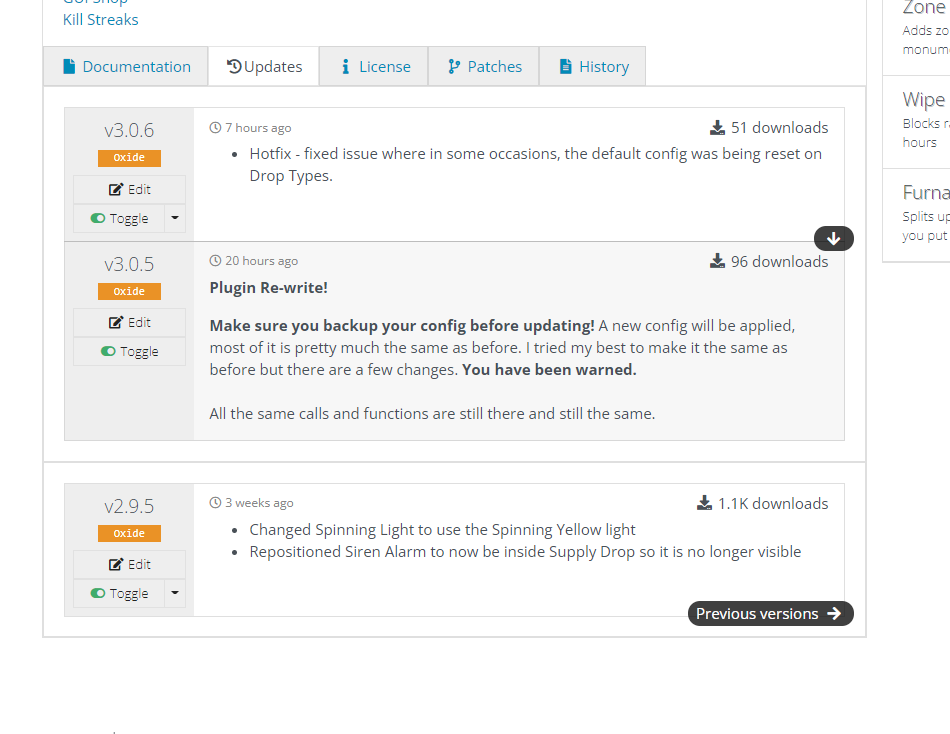
https://gyazo.com/ca453f7b8a39e45f95088309c4794941
Here you can see it saves it just fine, I just have to fix the plane logic to make it actually apply the settings as it should
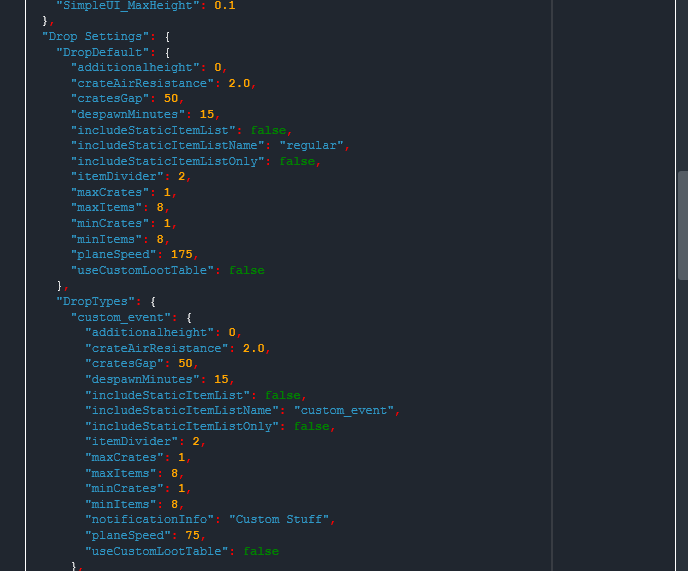
I am sorry to say it but you have just demonstrated the actual thing i was complaining about , i changed the default
Updated to latest , confirmed install then edited this
"itemDivider": 2,
"maxCrates": 1,
"maxItems": 8,
"minCrates": 1,
"minItems": 8,
"planeSpeed": 35,
"useCustomLootTable": false
to this
"itemDivider": 2,
"maxCrates": 4,
"maxItems": 18,
"minCrates": 2,
"minItems": 8,
"planeSpeed": 75,
"useCustomLootTable": false
and it reverted back to
"itemDivider": 2,
"maxCrates": 1,
"maxItems": 8,
"minCrates": 1,
"minItems": 8,
as it shows in your example. the only thing it does not always change back is the plane speed
**Anyway I followed your advice and managed after several downloads and console message that it had installed 3.0.6 it installed the previous version and now everything is back to normal, Thank you for your help and i will mark this thread solved
@pookins in my example I had only changed the plane speed I didnt change anything else. XD
Glad to see you were able to get the previous version working.
Locked automatically