




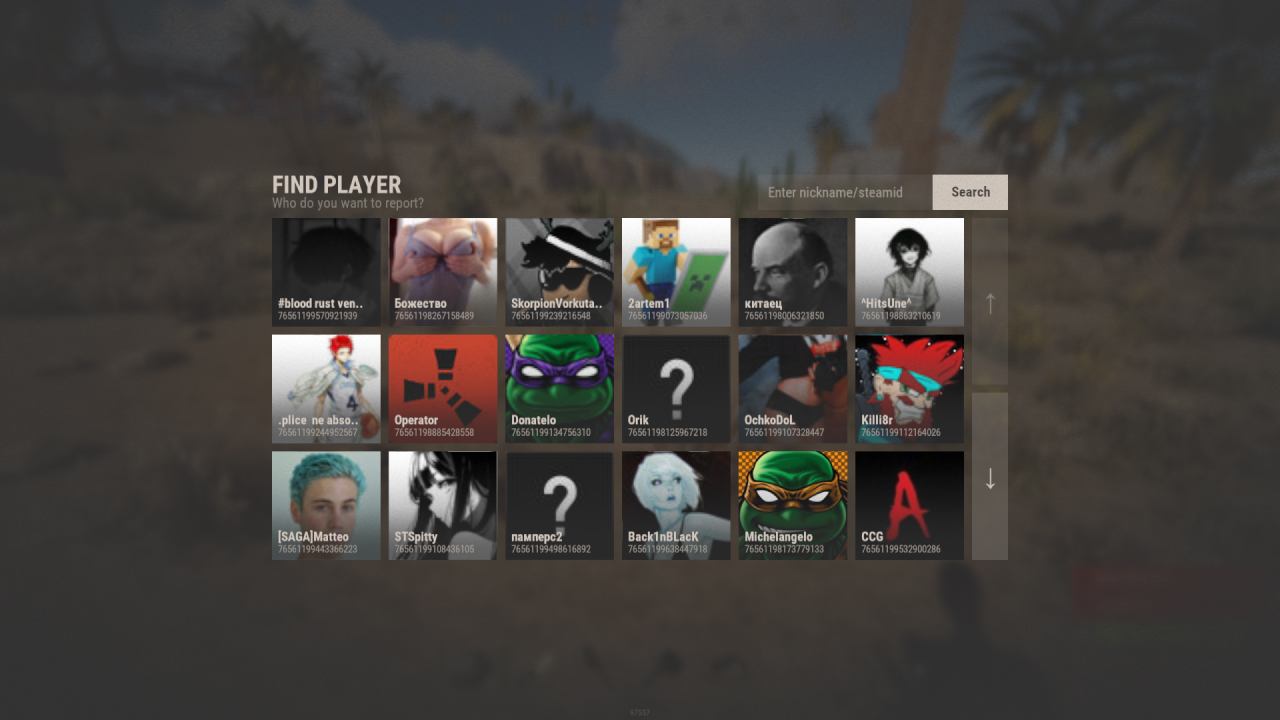
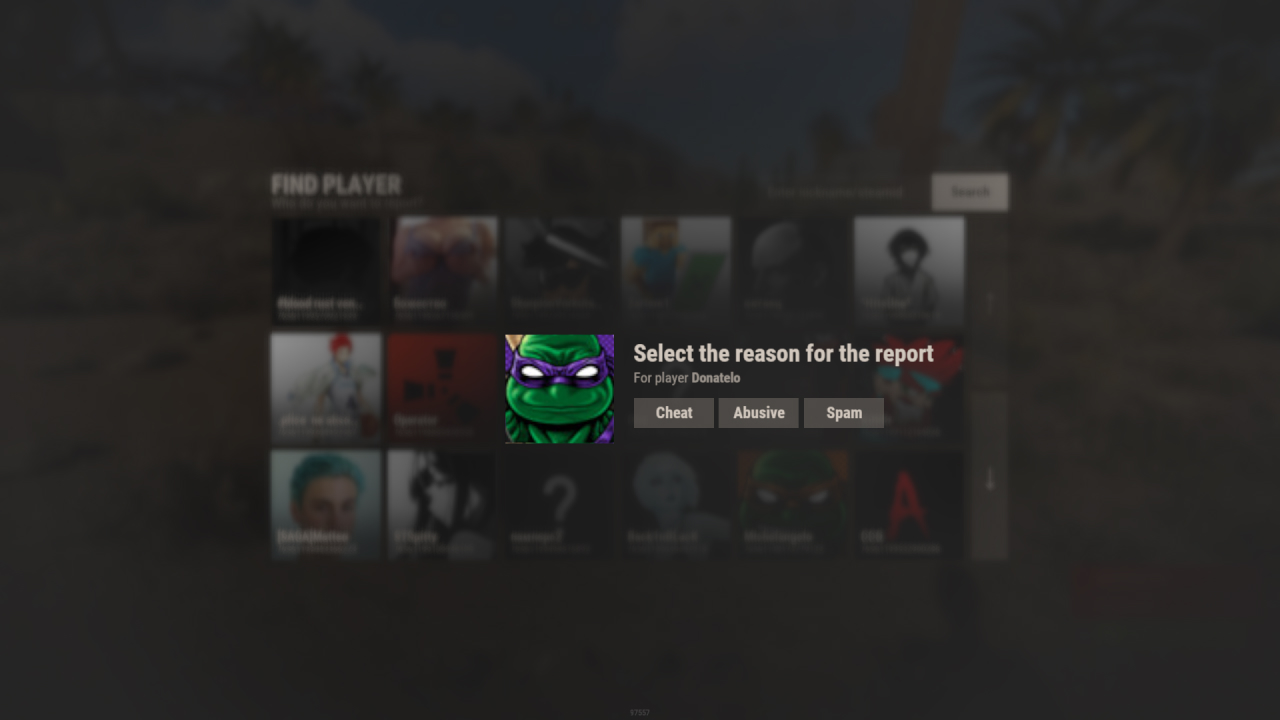
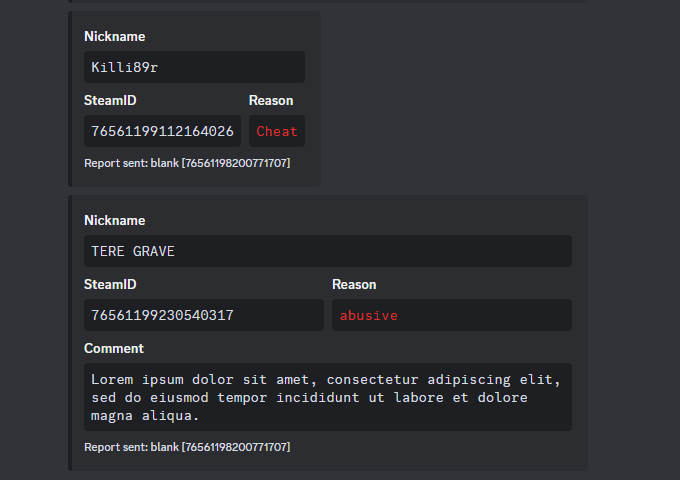
Report System is a simple plugin from RustApp.io that allows you to get reports on players in Discord, using a nicely designed interface or F7.
Interface
Discord Embed
Installation
- Upload plugin to the server
- In the created configuration
oxide/config/RustAppLite.json, specify the Discord Webhook channel to which you want to receive reports - Reload the plugin
o.reload RustAppLite
Configuration
{
  "[UI] Chat commands": [
    "report"
  ],
  "[UI] Report reasons": [
    "Cheat",
    "Abusive",
    "Spam"
  ],
  "[UI] Cooldown between reports (seconds)": 300,
  "[UI] Auto-parse reports from F7 (ingame reports)": true,
  "[Discord] Webhook to send reports": "https://discord.com/api/webhooks/...",
  "[Discord-Translations] Nickname field": "Nickname",
  "[Discord-Translations] Reason field": "Reason",
  "[Discord-Translations] Comment field": "Comment",
  "[Discord-Translations] Report sent text": "Report sent"
}
RustApp.io [Web Panel]

RustApp is a tool for RUST server administrators and owners, designed to simplify server management, player moderation, and activity analysis. It’s a web-based panel packed with features that connects to your servers via a plugin.
Our service removes the need to install dozens of scattered plugins on your server, which not only run independently but also consume server resources, reducing overall performance.
Player Profile

- Player information — Displays the server the player is currently on or last seen on, their SteamID64, first seen date, IP address, country, city, and internet provider.
- Player steam info — Shows VAC/game bans, Rust playtime, profile visibility status, account creation date, and hours played in the last 2 weeks.
- Player team history — Shows the history of teammates the player has played with across all sessions.
- Player IP, session and nickname — Lists all player sessions with join/leave reasons and all known nicknames used by the player.
- Player statistics & Combatlogs — Displays the player's kill/death ratio, total playtime, number of reports, kills, deaths, and more.
- Player state — Shows last movement time, last known location, language settings, ping, alive/dead state, and premium status.
- Player custom tags — Tags added to the player manually via plugin API for internal tracking or labeling.
- Player custom fields — Allows you to display custom information about a player, such as data from your own plugins (e.g., clans, statistics, etc.).
- Check premium — If the total value of items in the player’s inventory exceeds $15, a Premium tag will appear on their profile.
Communication Systems
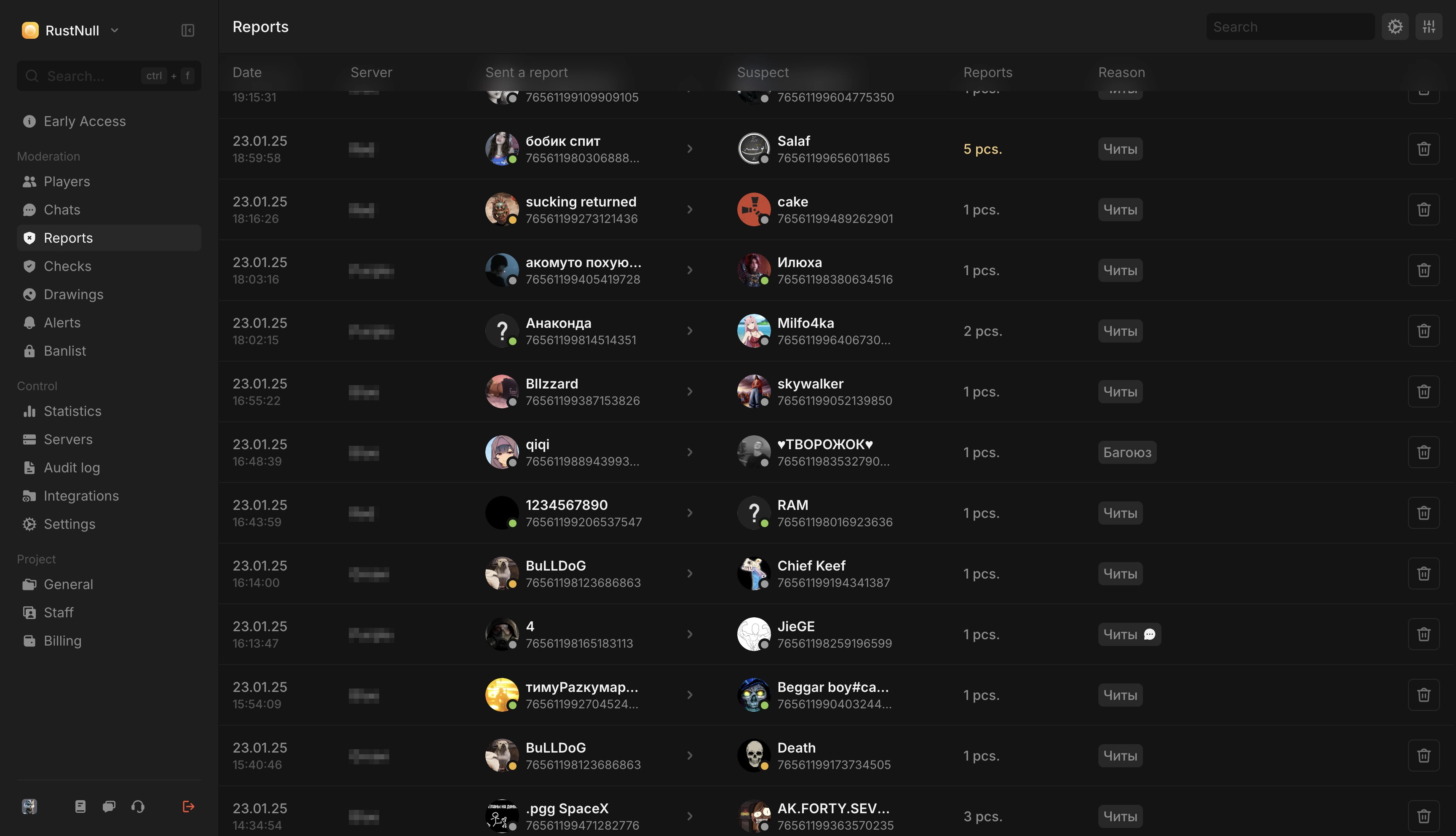
- Chat system — View full player message history (global/team/private), send messages to global chat or directly to the player, and perform chat-related actions.
- Report system — Displays all player reports submitted via F7, plugin UI, or custom plugin integrations.
- Inspection system — Allows staff to initiate and manage player inspection procedures.
Enforcement & Moderation
- Ban system — Ban players from all or specific servers, ban by IP, remove buildings, ban teammates, and attach proofs or staff comments.
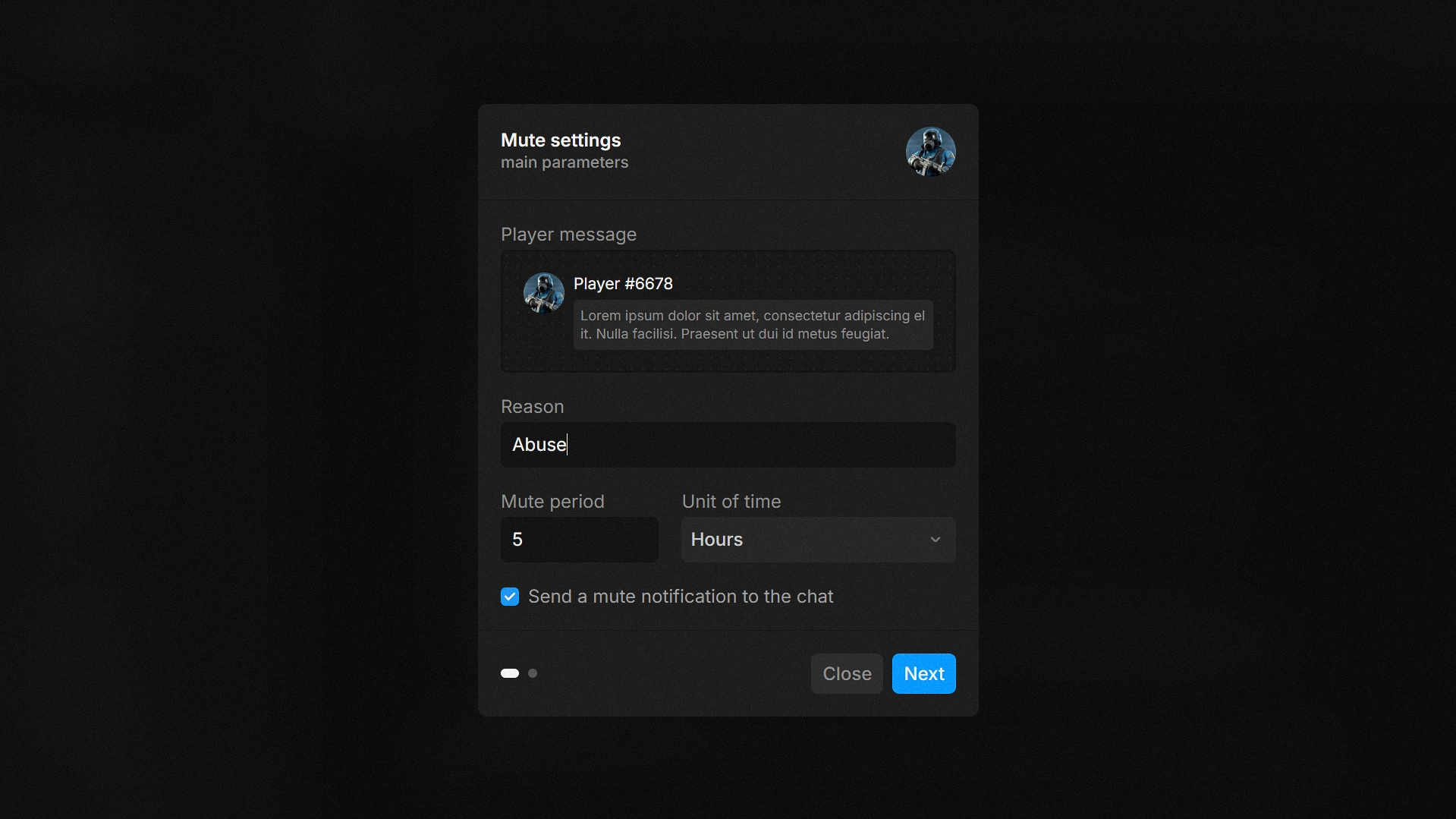
- Mute system — Mute a player with a specified message, optional proof, and a staff comment.
- Auto-kick system — Automatically kicks players based on criteria like VPN usage, Steam profile restrictions, or low Rust playtime.
- Access projects ban lists — Subscribe to and view ban lists from other projects that have made them publicly accessible.
- Custom actions — Create custom moderation actions that send specific commands to the server in relation to a player.
Alerts & Notifications
- Alert system — Sends automated alerts when players with suspicious characteristics (e.g. VPN, dirty IP, cross-project bans) join your server.
- Custom alerts — Create and send custom alerts to the dashboard containing any information you find relevant.
Analytics & Logs
- Audit log — Logs all administrative actions taken within the system for transparency and tracking.
- Staff performance statistics — Tracks staff activity and moderation performance over time.
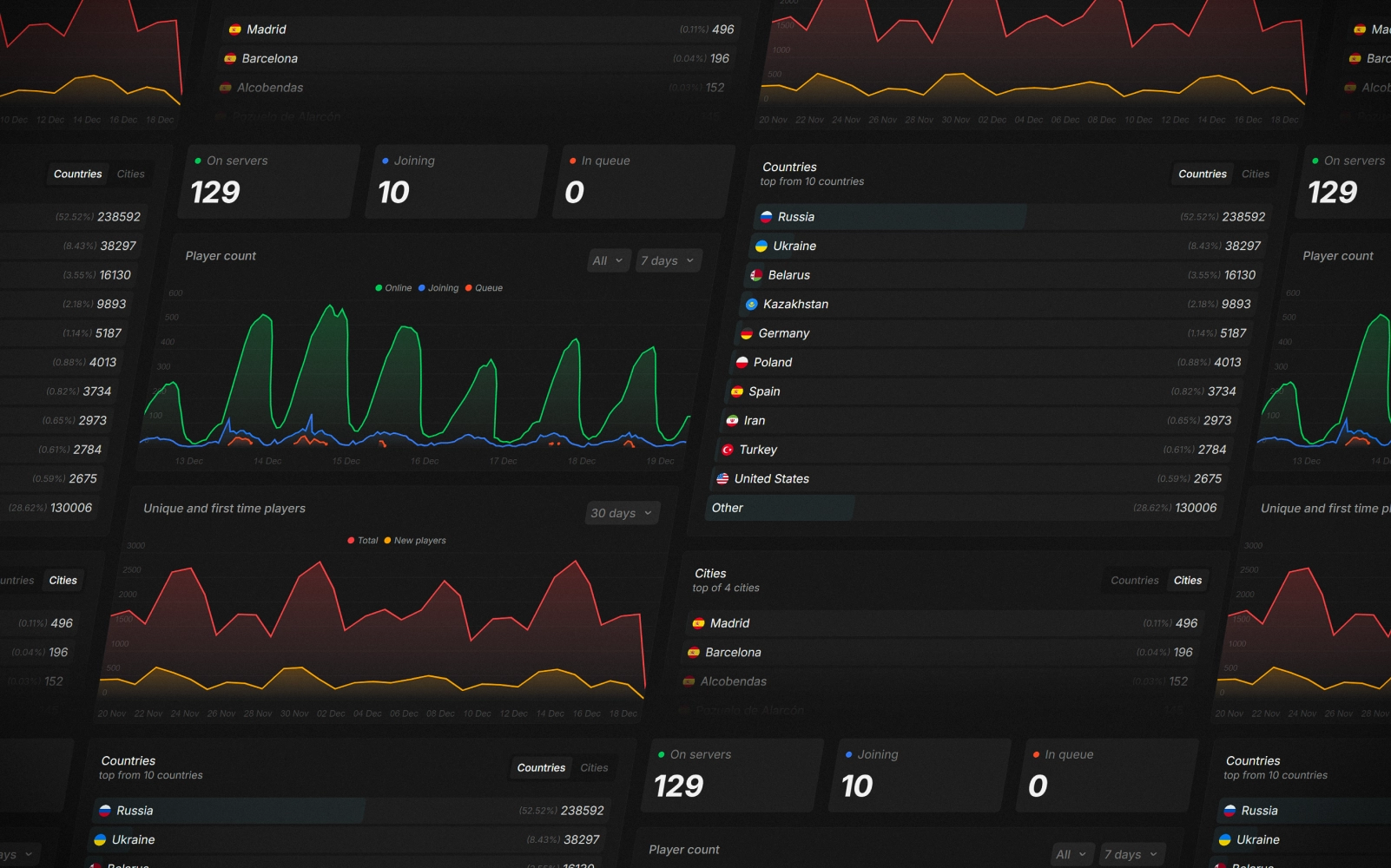
- Server statistics — Displays overall server metrics: online count, unique players, and geographical player distribution.
Integrations & Tools
- RCC integrations — Connect RustApp with RustCheatCheck to simplify player inspection and retrieve shared ban data.
- Discord integrations — Send alerts and activity notifications from RustApp directly to designated Discord channels.
- API — Full access to the RustApp API for integration with external tools and custom systems.
Team & Access Control
- Staff system — Manage staff members, assign permissions, and control access to different parts of the system.
- Drawings manage system — View and moderate player-created drawings on the in-game map.
And that's not all — RustApp includes even more features and tools designed to simplify server management and enhance moderation efficiency.
MIT License
Permission is hereby granted, free of charge, to any person obtaining a copy
of this software and associated documentation files (the "Software"), to deal
in the Software without restriction, including without limitation the rights
to use, copy, modify, merge, publish, distribute, sublicense, and/or sell
copies of the Software, and to permit persons to whom the Software is
furnished to do so, subject to the following conditions:
The above copyright notice and this permission notice shall be included in all
copies or substantial portions of the Software.
THE SOFTWARE IS PROVIDED "AS IS", WITHOUT WARRANTY OF ANY KIND, EXPRESS OR
IMPLIED, INCLUDING BUT NOT LIMITED TO THE WARRANTIES OF MERCHANTABILITY,
FITNESS FOR A PARTICULAR PURPOSE AND NONINFRINGEMENT. IN NO EVENT SHALL THE
AUTHORS OR COPYRIGHT HOLDERS BE LIABLE FOR ANY CLAIM, DAMAGES OR OTHER
LIABILITY, WHETHER IN AN ACTION OF CONTRACT, TORT OR OTHERWISE, ARISING FROM,
OUT OF OR IN CONNECTION WITH THE SOFTWARE OR THE USE OR OTHER DEALINGS IN THE
SOFTWARE.
Permission is hereby granted, free of charge, to any person obtaining a copy
of this software and associated documentation files (the "Software"), to deal
in the Software without restriction, including without limitation the rights
to use, copy, modify, merge, publish, distribute, sublicense, and/or sell
copies of the Software, and to permit persons to whom the Software is
furnished to do so, subject to the following conditions:
The above copyright notice and this permission notice shall be included in all
copies or substantial portions of the Software.
THE SOFTWARE IS PROVIDED "AS IS", WITHOUT WARRANTY OF ANY KIND, EXPRESS OR
IMPLIED, INCLUDING BUT NOT LIMITED TO THE WARRANTIES OF MERCHANTABILITY,
FITNESS FOR A PARTICULAR PURPOSE AND NONINFRINGEMENT. IN NO EVENT SHALL THE
AUTHORS OR COPYRIGHT HOLDERS BE LIABLE FOR ANY CLAIM, DAMAGES OR OTHER
LIABILITY, WHETHER IN AN ACTION OF CONTRACT, TORT OR OTHERWISE, ARISING FROM,
OUT OF OR IN CONNECTION WITH THE SOFTWARE OR THE USE OR OTHER DEALINGS IN THE
SOFTWARE.