
Supported Games



Features
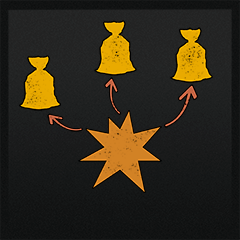
Creates an explosion wave which affects dropped items and dead bodies

Configuration
{
   "Explosion force": 500.0,
   "Explosion radius": 15.0,
   "Check visibility from explosion to object (less performant)": false,
   "Affect ragdolls": true,
   "Affect dropped items": true
}
Note about Check visibility option
This parameter enables/disables raycasting from the explosion position to all affected entities (items/corpses/both depending on the configuration) and can be more CPU consuming if true, but in case if there are little amount of mentioned entities in the radius. On the other hand - raycasting is much easier to calculate then rigidbody physics, so if explosion affects many items checking their visibility will actually increase performance. This is why such parameter exists in the first place, test out different configurations and find which works best for your server.
MIT License
Copyright (c) 2020 2CHEVSKII
Permission is hereby granted, free of charge, to any person obtaining a copy
of this software and associated documentation files (the "Software"), to deal
in the Software without restriction, including without limitation the rights
to use, copy, modify, merge, publish, distribute, sublicense, and/or sell
copies of the Software, and to permit persons to whom the Software is
furnished to do so, subject to the following conditions:
The above copyright notice and this permission notice shall be included in all
copies or substantial portions of the Software.
THE SOFTWARE IS PROVIDED "AS IS", WITHOUT WARRANTY OF ANY KIND, EXPRESS OR
IMPLIED, INCLUDING BUT NOT LIMITED TO THE WARRANTIES OF MERCHANTABILITY,
FITNESS FOR A PARTICULAR PURPOSE AND NONINFRINGEMENT. IN NO EVENT SHALL THE
AUTHORS OR COPYRIGHT HOLDERS BE LIABLE FOR ANY CLAIM, DAMAGES OR OTHER
LIABILITY, WHETHER IN AN ACTION OF CONTRACT, TORT OR OTHERWISE, ARISING FROM,
OUT OF OR IN CONNECTION WITH THE SOFTWARE OR THE USE OR OTHER DEALINGS IN THE
SOFTWARE.