This post will be updated as beta versions are posted
I have re-written Event Manager. There is not much to explain, it should be mostly self-explanatory to use.
All the event plugin's on uMod have been updated for this new version
At minimum to load Event Manager you will need these 3 plugins;
Event Manager -> https://umod.org/plugins/EventManager.cs?version=4.0.0&branch=beta
EMInterface -> https://umod.org/plugins/EMInterface.cs?version=2.0.0&branch=beta
Event Statistics -> https://umod.org/plugins/event-statistics
The event plugins can be found here
Deathmatch -> https://umod.org/plugins/Deathmatch.cs?version=3.0.0&branch=beta
Team Deathmatch -> https://umod.org/plugins/TeamDeathmatch.cs?version=0.4.0&branch=beta
Capture The Flag -> https://umod.org/plugins/CaptureTheFlag.cs?version=0.4.0&branch=beta
Chopper Survival -> https://umod.org/plugins/ChopperSurvival.cs?version=3.0.0&branch=beta
GunGame -> https://umod.org/plugins/GunGame.cs?version=0.5.0&branch=beta
Last Man Standing -> https://umod.org/plugins/LastManStanding.cs?version=3.0.0&branch=beta
Slasher -> https://umod.org/plugins/Slasher.cs?version=0.3.0&branch=beta
To create/edit/delete/manage events you need to either be a admin on the server, or have the permission "eventmanager.admin"
if you meet the criteria you will have access to the Admin tab of the menu. From here you can Open, Edit, Create and Delete events.
To create a event click the "Create Event" button. You will be prompted to select an event mode, once you have selected a mode you just need to fill in the options.
There are 3 types of fields here;
Input Fields - These will require you click on them and enter text. When you are done hit the Enter key to store that line. To clear the line click the "X" at the end of it to clear that field
Selection Fields - These will open another window where you can make a selection from a list of options
Toggle Fields - These are simple on/off toggles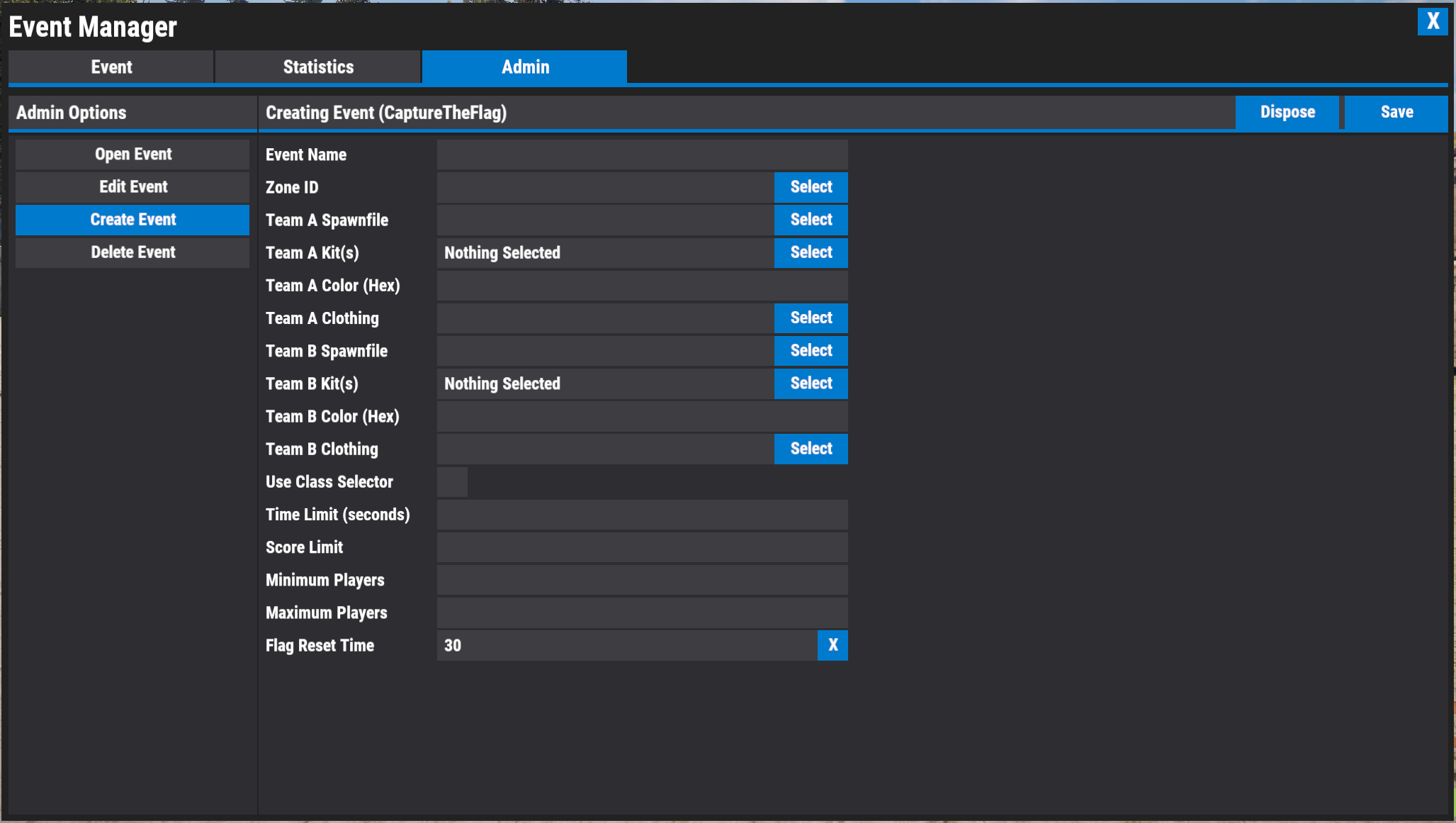
When you have filled in the options click the "Save" button. You will then be able to open that event from the "Open Event" menu
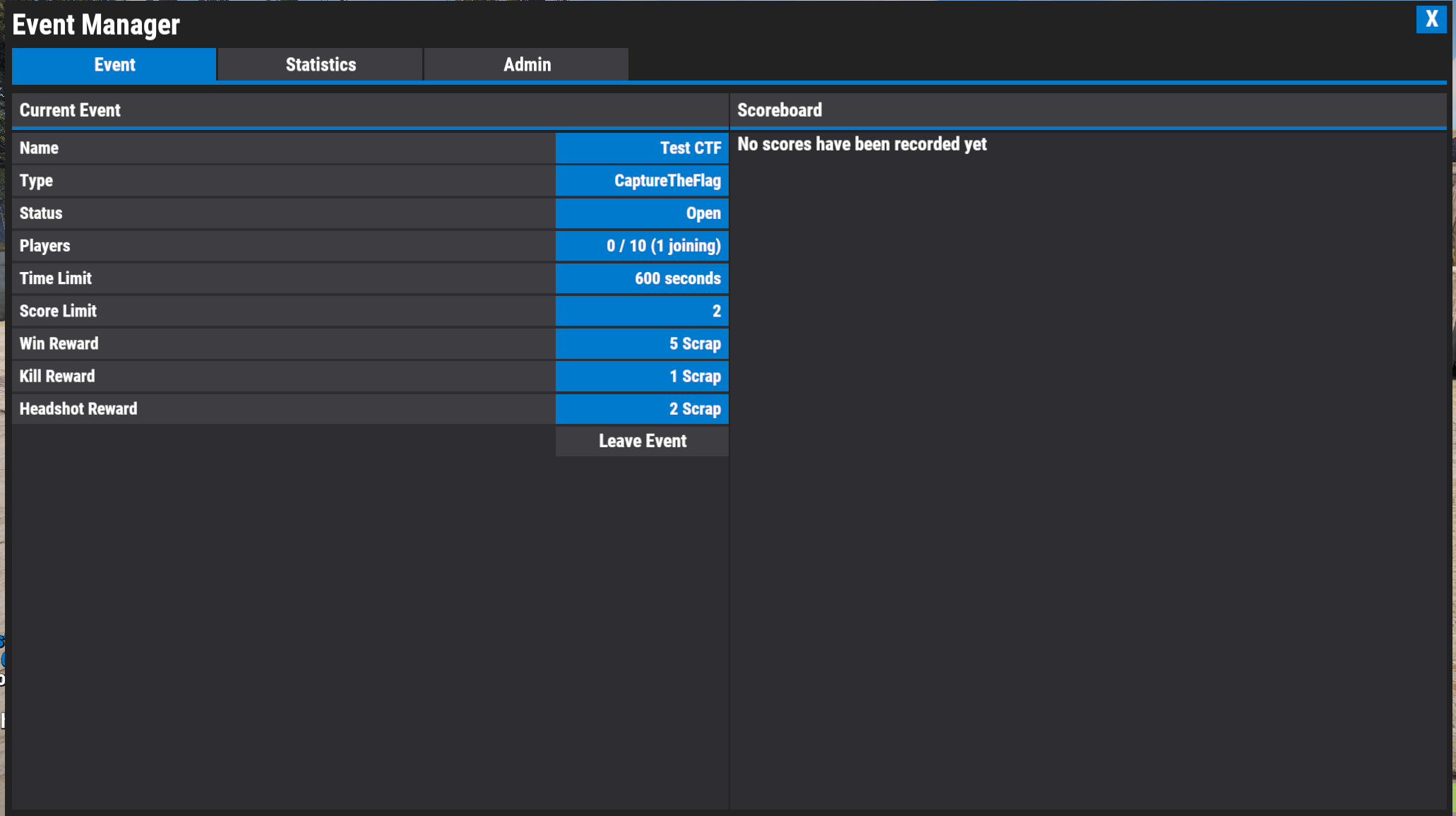
Players will have access to both the Event tab and the Statistics tab
The event tab shows the current event, and the scores from that event -or- if there is not event running it will show the scores from the previous event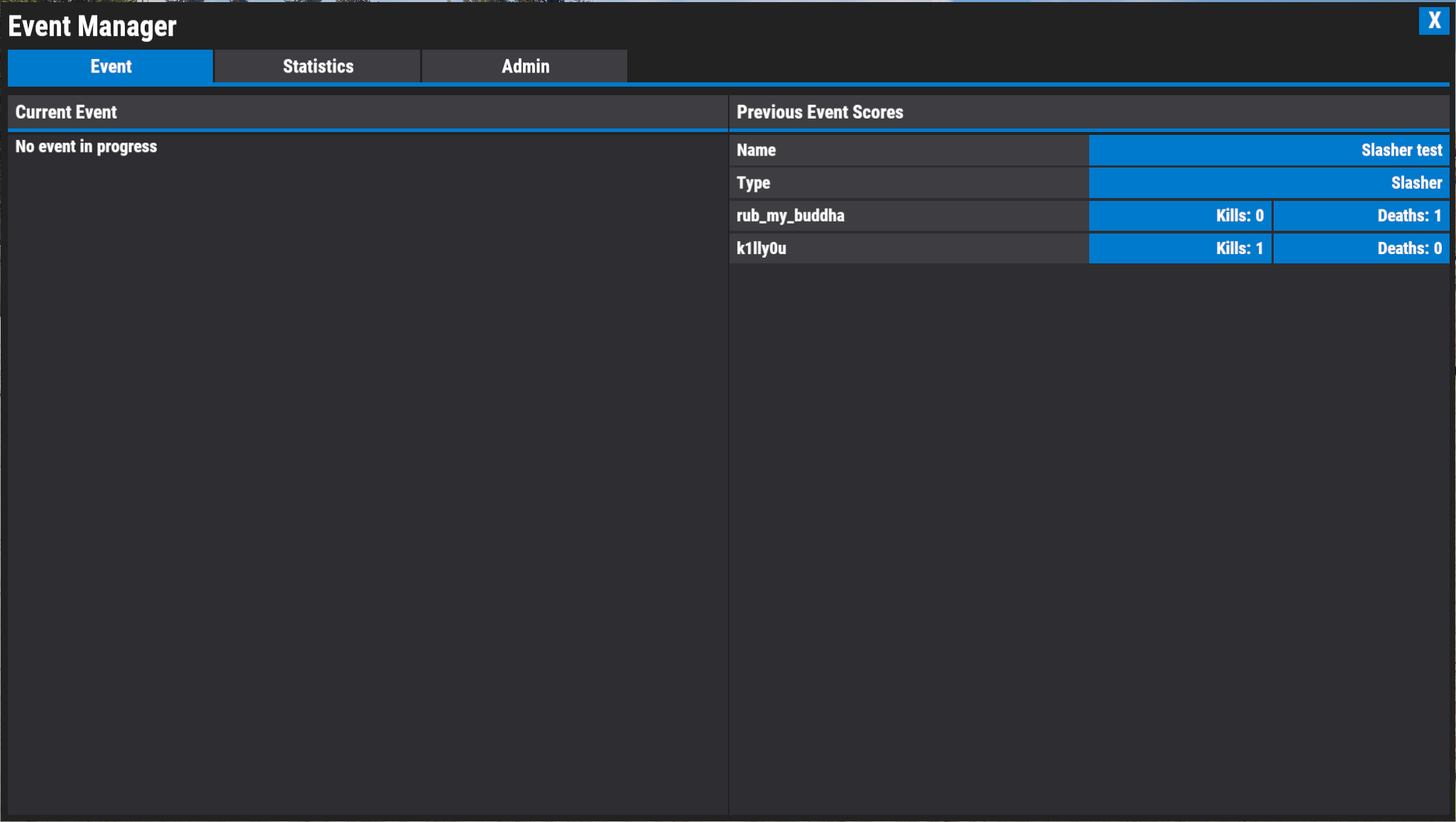
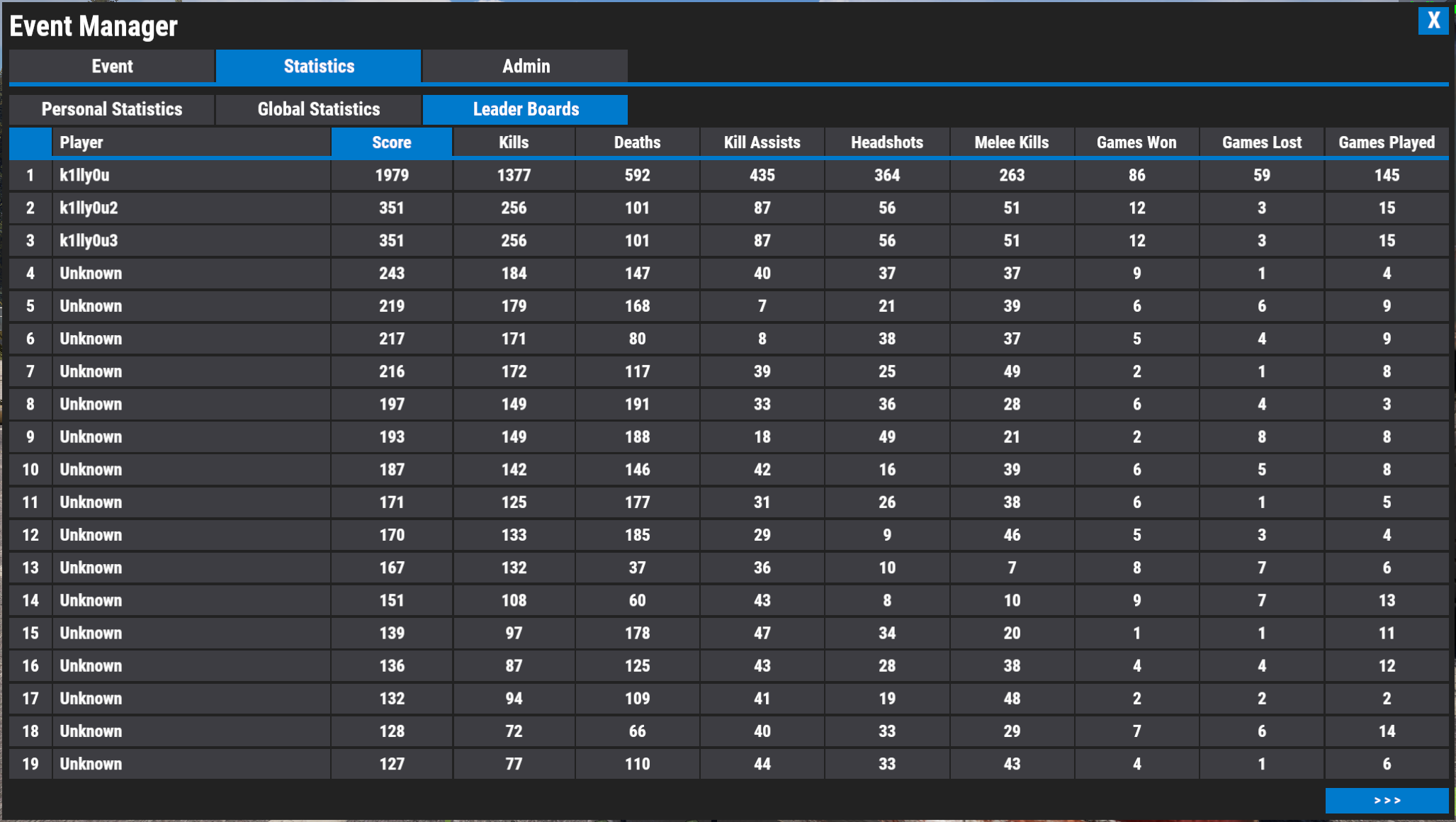
The statistics tab shows personal statistics, global statistics, and a leader board which you can select which statistic to sort by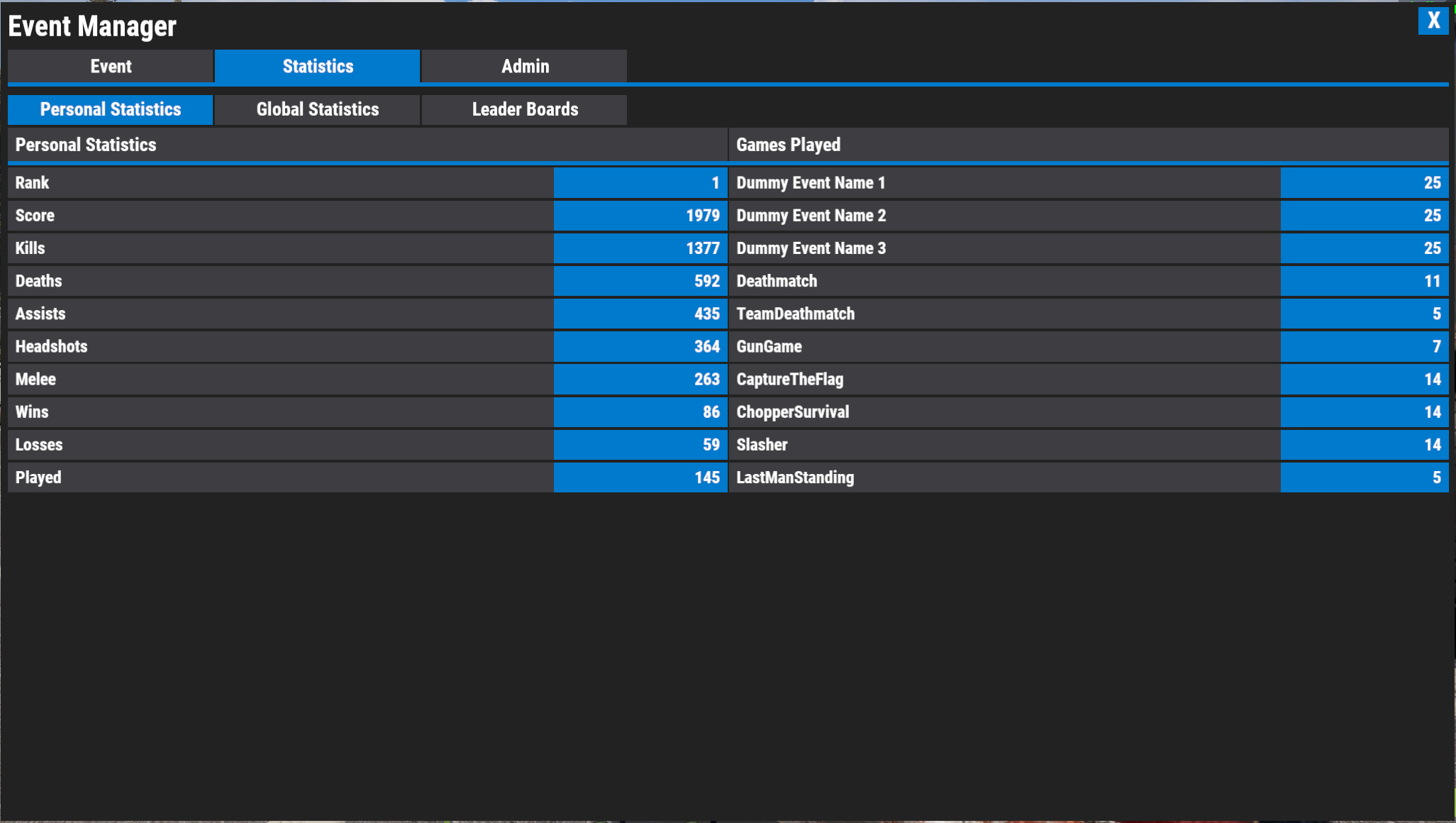
EventManager
Config
{
"Auto-Event Options": {
"Enable auto-events": false,
"List of event configs to run through": [],
"Randomize auto-event selection": false
},
"Event Options": {
"Blacklisted commands for event players": [
"s",
"tp"
]
},
"Reward Options": {
"Amount rewarded for kills": 1,
"Amount rewarded for wins": 5,
"Amount rewarded for headshots": 2,
"Reward type (ServerRewards, Economics, Scrap)": "Scrap"
},
"Timer Options": {
"Match start timer (seconds)": 60,
"Match pre-start timer (seconds)": 10,
"Backpack despawn timer (seconds)": 30
},
"Message Options": {
"Announce events when one opens": true,
"Announce events when a match is playing (to non-event players)": true,
"Event announcement interval (seconds)": 120,
"Broadcast when a player joins an event to chat": true,
"Broadcast when a player leaves an event to chat": true,
"Broadcast the name(s) of the winning player(s) to chat": true,
"Broadcast kills to chat": true,
"Chat icon Steam ID": 76561############
},
"Version": {
"Major": 4,
"Minor": 0,
"Patch": 0
}
}
EMInterface
This plugin manages all the UI you see in the events and menus.
Config
{
  "Death screen skull image": "https://www.rustedit.io/images/skullicon.png",
  "Death screen background image": "",
  "Menu Colors": {
    "Background Color": {
      "Hex": "#232323",
      "Alpha": 1.0
    },
    "Foreground Color": {
      "Hex": "#252526",
      "Alpha": 1.0
    },
    "Panel Color": {
      "Hex": "#2d2d30",
      "Alpha": 1.0
    },
    "Button Color": {
      "Hex": "#3e3e42",
      "Alpha": 1.0
    },
    "Highlight Color": {
      "Hex": "#007acc",
      "Alpha": 1.0
    }
  },
  "Scoreboard Colors": {
    "Background Color": {
      "Hex": "#232323",
      "Alpha": 0.8
    },
    "Foreground Color": {
      "Hex": "#252526",
      "Alpha": 0.8
    },
    "Panel Color": {
      "Hex": "#2d2d30",
      "Alpha": 0.8
    },
    "Highlight Color": {
      "Hex": "#007acc",
      "Alpha": 0.8
    },
    "Screen Position": {
      "Center Position X (0.0 - 1.0)": 0.9325,
      "Center Position Y (0.0 - 1.0)": 0.98,
      "Panel Width": 0.125,
      "Panel Height": 0.02,
      "UI4": {
        "xMin": 0.87,
        "yMin": 0.97,
        "xMax": 0.995,
        "yMax": 0.99
      }
    }
  },
  "Version": {
    "Major": 2,
    "Minor": 0,
    "Patch": 0
  }
}
Deathmatch
Simple PVP deathmatch mode
Config
{
  "Respawn time (seconds)": 5,
  "Version": {
    "Major": 3,
    "Minor": 0,
    "Patch": 0
  }
}
Team Deathmatch
Simple PVP deathmatch mode using a combined team score.
You can set up team based clothing kits and customizable colors for the scoreboard via the event creation menu
Config
{
  "Respawn time (seconds)": 5,
  "Version": {
    "Major": 0,
    "Minor": 4,
    "Patch": 0
  }
}
Capture The Flag
Grab the enemies flag and return to to your own to score points.
You can set up team based clothing kits and customizable colors for the scoreboard and flags via the event creation menu
Config
{
  "Respawn time (seconds)": 5,
  "Version": {
    "Major": 0,
    "Minor": 4,
    "Patch": 0
  }
}
Chopper Survival
Survive against waves of helicopters.
You can set the number or rounds, number of helicopters and how many lives the player has in the creation menu. You can also change the helicopters health and player->helicopter damage scale.
This event scores on a hit point system, the amount of points per hit is adjustable in the config
Config
{
"Respawn time (seconds)": 5,
"Maximum distance helicopters can travel away from the arena": 200.0,
"Amount of points given to players when they shoot a rotor": 10,
"Amount of points given to players when they shoot the heli": 1,
"Amount of time between rounds (seconds)": 10,
"Version": {
"Major": 3,
"Minor": 0,
"Patch": 0
}
}
Last Man Standing
A simple PVP event where the last player alive is the winner
Config
{
  "Respawn time (seconds)": 5,
  "Version": {
    "Major": 3,
    "Minor": 0,
    "Patch": 0
  }
}
Slasher
A copy of the Slasher event mode from GTA5. One player is the Slasher armed with a weapon, and the rest must hide from the Slasher for a certain amount of time. Once that time has expired the hunted also get weapons and must kill the Slasher.
This event will change event players time to midnight during the rounds, and midday inbetween. Only event players are affected by this.
The number of rounds is based on how many people are playing, so each players get's a shot at being the slasher
Config
{
  "Amount of time between rounds (seconds)": 10,
  "Version": {
    "Major": 0,
    "Minor": 3,
    "Patch": 0
  }
}
GunGame
The typical GunGame event where each kill advances you a rank and each rank has a different weapon (with the option to have a specific weapon which downgrades other players when killed by it)
GunGame requires atleast 1 'Weapon Set' to be created. A weapon set is a list of weapon's that will be given for each rank. The rank limit is solely based on the number of weapons you have added to the weapon set.
You must either be admin, or have the permission "eventmanager.admin" to create weapon sets.
To add a weapon to a weapon set you create the item and hold it in your hands, then use the "/ggset add" command to add it to the weapon set.
You can add attachments and change the ammo type which will all be saved in to the weapon set
Commands
/ggset new - Start creating a new weapon set
/ggset edit <name> - Edits the specified weapon set
/ggset delete <name> - Deletes the specified weapon set
/ggset list - Lists all available weapon sets
/ggset add <opt:rank> - Adds the weapon you are holding to the weapon set. If you specify a rank the weapon will be inserted at that position
/ggset remove <number> - Removes the specified rank from the weapon set
/ggset ranks - List the weapons and ranks in the weapon set
/ggset save <name> - Saves the weapon set you are currently editing
Config
{
"Respawn time (seconds)": 5,
"Reset heath when killing an enemy": false,
"Version": {
"Major": 0,
"Minor": 5,
"Patch": 0
}
}