6 of my logging channels are not working in DiscordSolved

Hello,

I have been having issues with several of my logging channels since force wipe. My sign artist logging channel and PMs logging Discord channels are wroking fine. I am able to use discord commands too. So the mod is functioning with limited use. It seems the flags are not working.

My deathnotes kill logs channel isn't logging kills in my server. Here is my config for it:

"Discord Channel ID #": "957594969122676737",
"Channel Flags": [
"plugin_deathnotes_pvp"
],
"Custom: Words/Phrases to Log": [
"keyword1",
"keyword2"
]
},
{

My server logs are not being logged in my discord are not logging all these flags

"Discord Channel ID #": "873853608901349416",
"Channel Flags": [
"cmd_allow",
"log_kicks",
"log_bans",
"log_spectates",
"log_namechange",
"log_perms",
"cmd_ban",
"plugin_discordauth",
"cmd_unban",
"plugin_betterchatmute",
"plugin_clans",
"cmd_com",
"cmd_timeban",
"msg_joinlog",
"msg_quit",
"cmd_mute",
"cmd_unmute",
"cmd_kick",
"game_bug"
],
"Custom: Words/Phrases to Log": [
"keyword1",
"keyword2"
]
},
{

My serverinit flags are not sending server up/down messages in my general chat in Discord anymore.

"Discord Channel ID #": "805696449748533252",
"Channel Flags": [
"msg_serverinit"
],
"Custom: Words/Phrases to Log": [
"keyword1",
"keyword2"
]
},
{

f7 report and game reports are not being logged too

"Discord Channel ID #": "937876667278426123",
"Channel Flags": [
"game_report",
"log_f7reports"
],
"Custom: Words/Phrases to Log": [
"keyword1",
"keyword2"
]
}
],

I know for sure these are the correct channel ids in my discord. I triple checked them all. Here is a log of my console when I reload Rustcord https://gyazo.com/683f1c8e455949b27c328f6e625c721e

I am a but stumped. Any help to get my logging channels working in my Discord would be very helpful.

Thank you very much
......

Hello OuTSMoke,

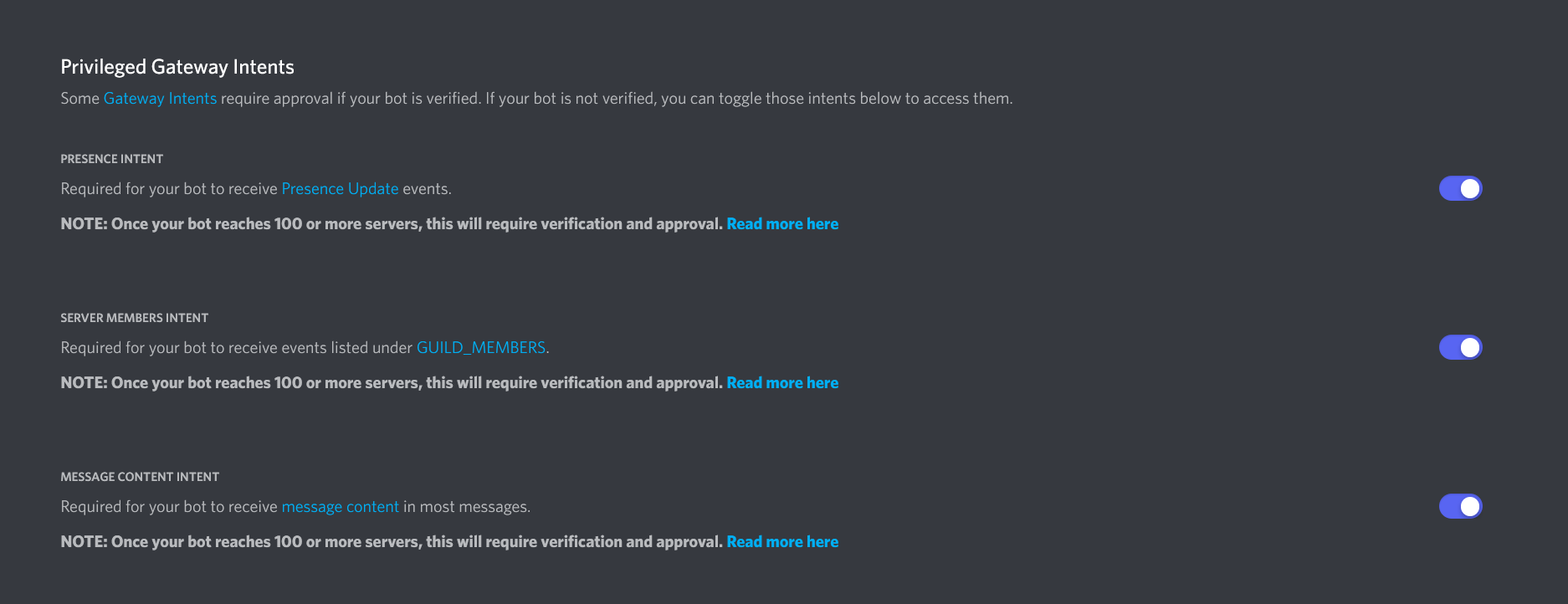
Thank you for replying. I can see since your bot is in more than 100 discords the bot needs to be verfified for full function. It is the bot owner that needs to verify the bot for full function, correct? If so, I will just wait for the bot to be verified for it to go back to full function.

Thank you~

Rustcord isn't providing your server with the bot. You created your own bot that Rustcord uses. If your bot is in more than 100 guilds it would be on you to get it verified.

deleted text.

MJSU

Rustcord isn't providing your server with the bot. You created your own bot that Rustcord uses. If your bot is in more than 100 guilds it would be on you to get it verified.

Hello MJSU,

I host 1 server. So my server is only in 1 guild. I did make this 1 single bot in the developer portal to get the key to add the rustcord config.


Merged post

I might know what you are saying. Here is a screen shot of my server armor mod. It says it's wtaching 748 guilds. Does this mean I need to verify this mod? https://gyazo.com/cfe7cc079d8b5d4823e3e375c69e91ee

No, since you created the bot (I.E. the bot is only in your Discord Guild) that doesn't apply to you. The way the Discord Extension does bots is completely different than normal Discord Bots so the rules don't really apply since each server owner is making their own bot (I.E A Private Bot) and then plugins make use of that bot.

Onto your issue. Most of the time the bot can't send a message to a channel would be the bot doesn't have permission to see the channel / doesn't have permission to send messages to the channel. Have you checked your server logs for any errors from Rustcord or the Discord Extension?

MJSU

No, since you created the bot (I.E. the bot is only in your Discord Guild) that doesn't apply to you. The way the Discord Extension does bots is completely different than normal Discord Bots so the rules don't really apply since each server owner is making their own bot (I.E A Private Bot) and then plugins make use of that bot.

Onto your issue. Most of the time the bot can't send a message to a channel would be the bot doesn't have permission to see the channel / doesn't have permission to send messages to the channel. Have you checked your server logs for any errors from Rustcord or the Discord Extension?

Hello,

Here is the console log when I reload Rustcord: https://gyazo.com/a5c263dd6807b78e14c2a0dba62b5f48

As for Discord extension, I use a 3rd party server provider called Game Server Kings. The Discord extension is in the mod manager section of my tc admin panel. I have the most current Discord Exension update. I can't get the logs for it (I don't know how to).

TC admin panel: https://gyazo.com/97530b37dff490614900193f67e46493

Discord Exension installed in Mod Manager in TC admin panel: https://gyazo.com/cf7c740076be37c31c1d3f11ef537bbc

4weed2weed0

Hello,

Here is the console log when I reload Rustcord: https://gyazo.com/a5c263dd6807b78e14c2a0dba62b5f48

As for Discord extension, I use a 3rd party server provider called Game Server Kings. The Discord extension is in the mod manager section of my tc admin panel. I have the most current Discord Exension update. I can't get the logs for it (I don't know how to).

TC admin panel: https://gyazo.com/97530b37dff490614900193f67e46493

Discord Exension installed in Mod Manager in TC admin panel: https://gyazo.com/cf7c740076be37c31c1d3f11ef537bbc

Looks like Rustcord isn't loading correctly. Try deleting the oxide/config/Rustcord.json and then reconfigure it again.

The Discord Extension logs to the same place as the server logs.

MJSU

Looks like Rustcord isn't loading correctly. Try deleting the oxide/config/Rustcord.json and then reconfigure it again.

The Discord Extension logs to the same place as the server logs.

Hello,

I have zero idea what happened to my config. I re did it and now stuff works.

Thank you~

It was this section that changed from what I see. I replaced this section with the section from the new config and mine started working again (no error like in image posted above): below is from new section (old one is only one line)
"Premium Plugin Logging Settings": {
"Enable Logging: Air Event": false,
"Enable Logging: Armored Train Event": false,
"Enable Logging: Cargo Train Event": false,
"Enable Logging: Convoy Event": false,
"Enable Logging: Harbor Event": false,
"Enable Logging: Junkyard Event": false,
"Enable Logging: Power Plant Event": false,
"Enable Logging: Satellite Dish Event": false,
"Enable Logging: Sputnik Event": false,
"Enable Logging: Water Event": false
},
Locked automatically