I've been looking for info on this subject all around the interwebs but I didn't manage to find anything, so first off, I apologize if it has been discussed before and I was too clumsy to find the answer.
My question is about the base rust server, no mods or anything.
I'm trying to install a basic rust server in a Windows server machine, but the catch is that it's a "Core" installation of windows server, which has no GUI/desktop, as opposed to the "Desktop experience" installation. The advantages of this installation is that it has less memory footprint and requires less disk space.
The problem is that the server doesn't seem to work, and rustdedicated.exe just returns with an C0000135 error and does nothing when I execute it with the proper arguments.
It is clear to me that the rust server files are not prepared to work in a headless/no GUI environment in windows, and I really dont' think that the rust server requires anything from the windows UI side that's important for the server to work, since all it does is open a console and do some heavy backend stuff (otherwise it wouldn't really work in linux environments) but that's just my guess.
I was wondering if anyone has managed to install the minimum required packages/features/libraries on a windows installation to make it work.
Thanks
Rust server in windows server core
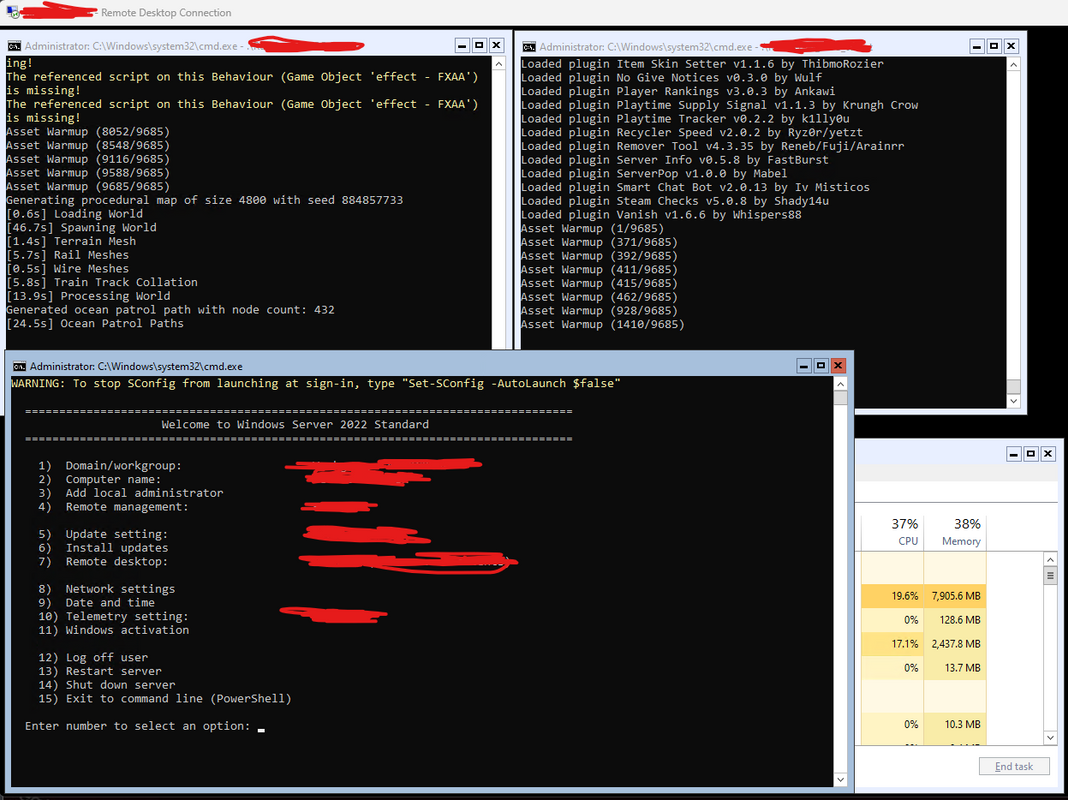
Hey I managed to figure this out I think.
I tried a lot of various things and went down a few rabbit holes. At the end what made it work was copying over the D3Dxxx.dll files from a "desktop experience" version of windows - in my case I am now running RUST server(s) on Core 2022 and copied over D3Dxxx.dll (the "xxx" being wildcard, just copy them all and skip the ones your core system may already have) from a 2019 "desktop experience" server.
I have been able to trim about ~3-4Gb of ram overhead on the running of this server by switching to core.