Server.cfg not working on linuxSolved

Trying to get my server.cfg to work in a linux system, but only default settings work and not the following batchfile

./RustDedicated -batchmode ^
+server.ip "" ^
+server.port "" ^
+server.hostname "[UK]RustyRustServer|x2|Drugs|ATM|TruePVE" ^
+server.saveinterval "300" ^
+rcon.port "" ^
+server.maxplayers "250" ^
+server.description "✯Welcome to RustyRust ✯✯New Server ✯✯✯Current Server Status [Beta V1.2] \n \n✯2x Rate \n \nThis server is for you, whether you like PVP,PVE or RP we have it here! During the week we have PVE with PVP areas, and weekends full PVP/Raiding! \n✯ServerInfo✯ \n✯Increased Stack Size \n✯High Performance Server \n✯Custom Map \n✯Custom Prefabs \n✯ATM System \n✯Custom Loot \n✯Custom Shops \n✯Bradley Tiers and Guards \n✯Zlevels \n✯Drone Patrols \n✯Drugs" ^
+rcon.password "" ^
+rcon.web "true" ^
+server.identity "rusty rust world"


All the Ip and rcon ports and passwords are all filled in just took them out for security reasons! Can someone see an issue on these lines? 


Thank you in advance
That's a windows batch file format you have there, won't work on Linux.

If you're using LGSM (which I would recommend):

https://linuxgsm.com/servers/rustserver/

...then the settings are in these two files:

~/lgsm/config-lgsm/rustserver/rustserver.cfg  (basic stuff like ports, rcon password etc)
~/serverfiles/server/rustserver/cfg/server.cfg  (other stuff like description, header img etc)

...as per the config files instructions:

https://docs.linuxgsm.com/configuration/linuxgsm-config

~~~~~~~~~~

If you don't use LGSM then your batch file should probably work if you remove the ^ and line breaks and just have it all on one line, or try \ instead of ^

Thank you for the reply, i've tried doing it in one line without the ^ and remove line breaks, but still the same issue, I also tried putting a "\" instead of "^" but still no luck. 


If I try to add these line to the serverauto.cfg they do work but get wiped on server restart :S and my Console keeps stating "waiting for Rcon to come up" but if I connect to the rustadmin rcon it's fine and does not show "waiting for rcon to come up" 

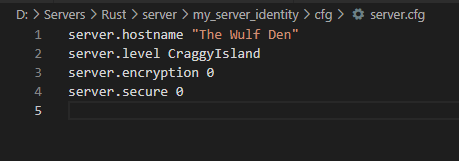
Anything you add to server.cfg needs to be just the commands, nothing else. You cannot use everything in server.cfg either, just commands.

@wulf i was under the impression that I'm just using commands? if I use these lines in windows version they work.

You showed a .bat file above, that isn't the server.cfg. Are you trying to use the server.cfg or are you trying to change the .bat file to an .sh file?

I'm trying to override my host's startup parameters, For example, change server hostname, they allow you to change the server name but you can't use special characters on their interface, so I'm trying to add all the information to the server.cfg regarding startup parameters if that makes sense! I currently have 2 files, one is called "server.cfg" which currently holds the rust + app info "port" and "serverip", and the serverauto.cfg which has all the information regarding server tags, fps limits, bullet damage, and so on. 

Right, so what does your server.cfg look like at the moment?

it currently looks like this (original)

app.port (your server port)
app.publicip (your server IP)

I don't think those are actually commands, so those likely won't work in server.cfg. Some things are set before the server.cfg is parsed as well.

Edit: Guess they are commands.

that's what the host has on their FAQ's :S they say "If you don't have a server.cfg file, please create one and enter the following app.port (your server port)
app.publicip (your server IP) save and restart your server"

Are you thinking that app.port is the same as server.port? Same with *.ip. These are not the same thing.

they are both different, i had to ask for a separate port from the host for the rust + app

unless I don't have to add the quotations and the \ on the server.cfg? because both of those commands are not using any quotations or \.

EDIT: It won't work as without quotations, as it gives error on console.

Quotatons are only needed for things with spaces in them.

so on the server.cfg i added the following;

app.port "71xx"
app.publicip "185.xx.xx.xx"
server.ip "185.xx.xx.xx"
server.port "7004"
server.hostname "[Uk]RustyRust"


It seemed to work, but now my console states the server could not be started on port 7004, server unable to start.

and 7004 port is the right port for the server.

Locked automatically