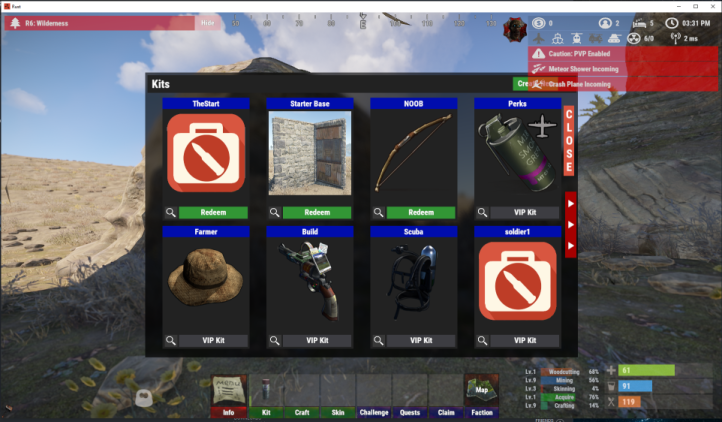
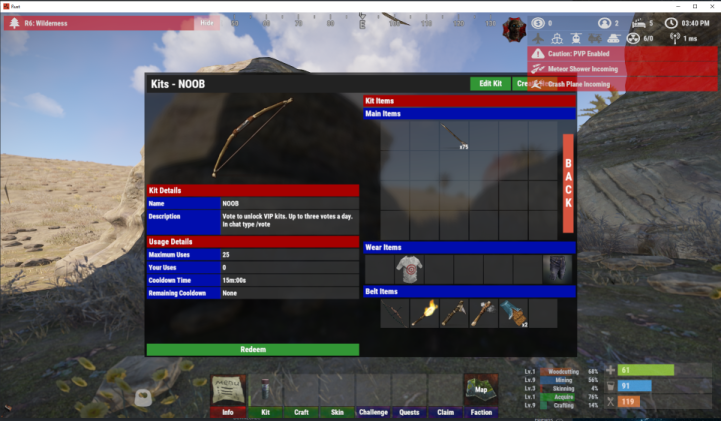
I have a plugin that overlaps on top of Kits UI so I made some edits to reposition the buttons. I am documenting the changes I made for myself and others. in the photo examples, you can see the overlap. I am certain there's a better way to handle this like moving things to different layers but this is within my wheelhouse of abilities.
601   UI.Button(container, UI_MENU, Configuration.Menu.Color3.Get, "C\nL\nO\nS\nE", 20, new UI4(0.967f, 0.6375f, 0.99f, 0.8825f), "kits.close");

730   UI.Button(container, UI_MENU, Configuration.Menu.Color3.Get, "B\nA\nC\nK", 20, new UI4(0.967f, 0.4375f, 0.99f, 0.7825f), $"kits.gridview page 0 {npcId}");

898   UI.Button(container, UI_MENU, Configuration.Menu.Color3.Get, "C\nL\nO\nS\nE", 20, new UI4(0.967f, 0.5375f, 0.99f, 0.7825f), "kits.close");