TLDR Note:
Using IceCast or Shoutcast and the various solutions out there for those you can easily broadcast your own station.
Requirements:
-Audio Player (I use VLC personally)
-BUTT (broadcast using this tool)
--Note there are many options you can use beside this as well.
-Free Stream Plan at Caster.fm
-Audio Router (Optional)
-Virtual Audio Cable (Optional)
Create your free account with Caster.fm
Configure BUTT or whatever other broadcast tool of your choosing (Caster.fm uses Icecast)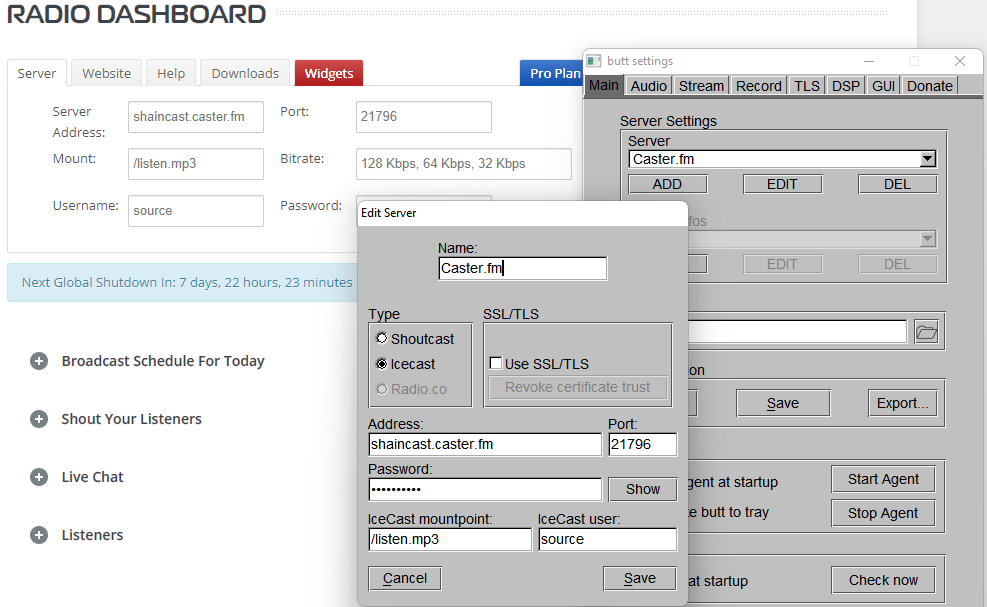
After server settings are configured in BUTT or whatever broadcast application you use, obviously configure your audio to whatever works for you..
Personally I use VLC and route the audio from VLC to a virtual audio cable with the tools mentioned above so I don't here the audio playing on my computer, only on the radio broadcast in game.
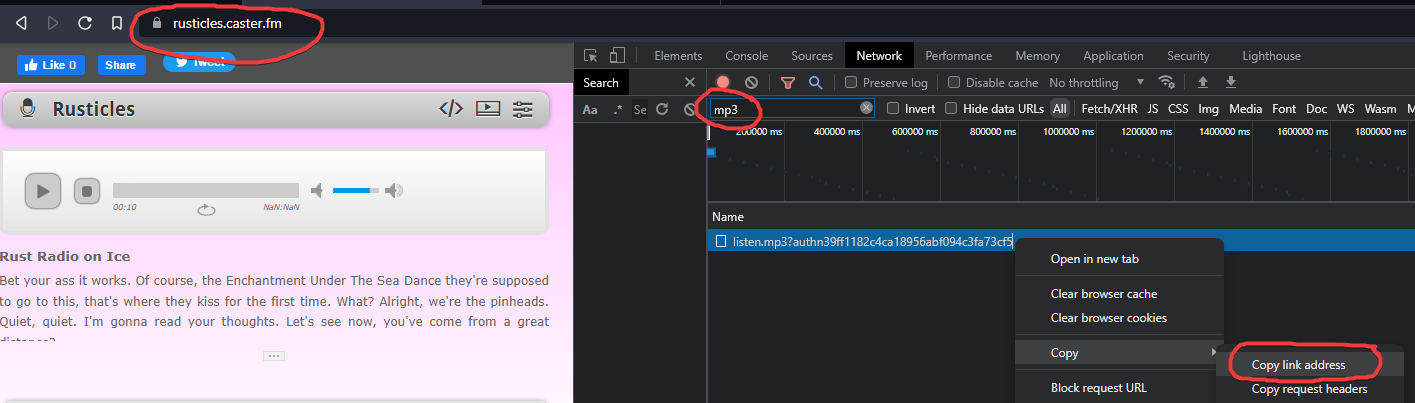
For the Radio Station Manager, you can get your url from your "website" caster.fm gives you like so: