What's new?Not An Issue

This doesn't really help....
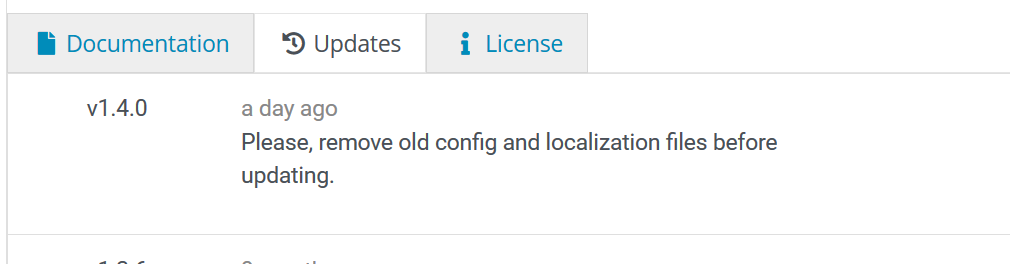
Patch notes are your friend...


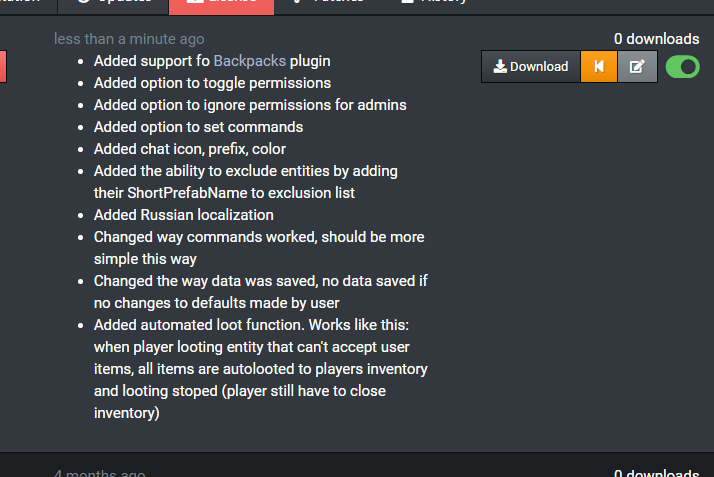
There is a 255 symbols limit, prevents me to save the patch several times. You can find list of changes here, if you need it for some reason.
 
5f23e353340b1.png MONaH
There is a 255 symbols limit, prevents me to save the patch several times. You can find list of changes here, if you need it for some reason.

Thats weird, I make extensive patch notes (see the ones for Rustcord). I dunno...


Merged post

Ohhh wait, did you submit the patch before you had ownership? That would make more sense. Future updates you should be able to.
 
5f23e353340b1.png MONaH
There is a 255 symbols limit, prevents me to save the patch several times. You can find list of changes here, if you need it for some reason.
Last I checked, that limit is closer to 2500, so your small changes linked shouldn't be an issue.
Well, like I said, I was trying several times with same annoying message "limit is 255". Then I changed to this short sentence - it finally allowed me to save patch. No other changes were made, maybe some kind of glitch or something.
 
5f23e353340b1.png MONaH
Well, like I said, I was trying several times with same annoying message "limit is 255". Then I changed to this short sentence - it finally allowed me to save patch. No other changes were made, maybe some kind of glitch or something.
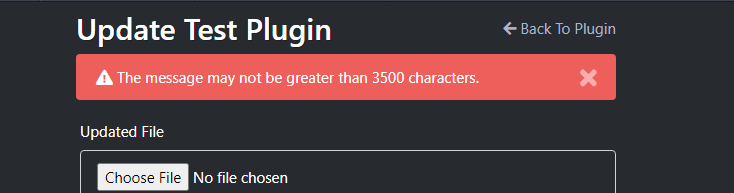
 
I believe formatting does count toward it, but should be much higher than 255. 
Regardless of what you can do in the patch UI, you should also be able to edit the patch notes in the updates tab after the update is released (but not sure you can update notes for patches by previous authors). I always do this since the auto generated ones from the GitHub commits rarely say exactly what I want.
@WhiteThunder, I tried, but there is another issue - reverted update that hidden. Now it changes notes in there, not the last one is public
@Wulf I noticed when I patched DiscordSync via the button on the page that the limit THERE is 255, so he might have patched with that method.


Exactly.
I can't reproduce it, could you provide me a screenshot next time? Thanks.


Use "Patch" button (not Update) -> edit or copy-paste code -> press "Save" -> press "Merge Patch" -> try to insert update notes there and save then.
 
5f23e353340b1.png MONaH
Use "Patch" button (not Update) -> edit or copy-paste code -> press "Save" -> press "Merge Patch" -> try to insert update notes there and save then.

Yeah, use "UPDATE" button, and upload latest version next time you update and patch limit will be fine.

I can't currently download the newest version, it just sends me to the main umod page. Might have something to do with this issue.
5f6b4d2d45f98.jpg Yzarul
I can't currently download the newest version, it just sends me to the main umod page. Might have something to do with this issue.
Fixed. That happens when an update uses the same version twice.
Locked automatically