Image failed to download! Error: Unknown ErrorError
In response to coderush ():fix or linux, go to each plugin which gives an error, change https to http, image library also chang...
This does not work for me

Image failed to download! Error: Unknown Error - Image Name: 76561198045203795_0 - Image URL: https://steamcdn-a.akamaihd.net/steamcommunity/public/images/avatars/e6/e69044333ab482ceb0de2ea3805f722e58c36570_full.jpg

I have got latest versions of both plugins -
I have tried deleting image.data.json (with both plugins unloaded)
I have restarted the server
I have trolled all posts I can find for a solution
refreshallimages
[Image Library] Running this command will wipe all of your ImageLibrary data, meaning every registered image will need to be re-downloaded. Are you sure you wish to continue? (type yes or no)
yes
[Image Library] Wiping ImageLibrary data and redownloading ImageLibrary specific images. All plugins that have registered images via ImageLibrary will need to be re-loaded!
[Image Library] Retrieving item skin lists...
[Image Library] Found 1651 item skins. Gathering image URLs
o.load ServerRewards
Loaded plugin ServerRewards v0.4.67 by k1lly0u
[Image Library] Starting order ServerRewards
Image failed to download! Error: Unknown Error - Image Name: rifle.l96_0 - Image URL: https://www.rustedit.io/images/imagelibrary/rifle.l96.png
I get the same error for every item in the store.
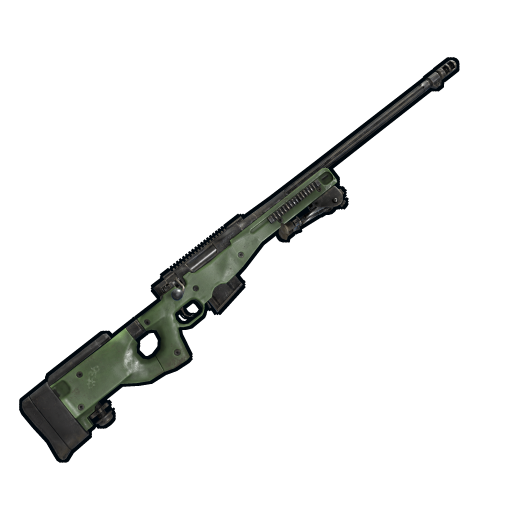
My setup is linux (CentOS) hosting multiple servers for various clients.
The servers are running beautifully and even newly created servers are working just fine, however console output is throwing error -
Image failed to download! Error: Unknown Error - Image Name:
This happens to be some players steam logo's and images related to plugins that show any images on the GUI.
Image failed to download! Error: Unknown Error - Image Name: 76561198066669648_0 - Image URL: https://steamcdn-a.akamaihd.net/steamcommunity/public/images/avatars/50/50c8d0fff5ef419352778e575af1eac9c6b98f32_full.jpg

Payday Boss[289809/76561198066669648] has entered the game
So it happens when a player joins the game -
Image failed to download! Error: Unknown Error - Image Name: weapon.mod.flashlight_0 - Image URL: http://www.rustedit.io/images/imagelibrary/weapon.mod.flashlight.png

Also when loading icons for the ServerRewards GUI
I have posted in general support as it does not seem that the error is plugin specific.
Help would be appreciated,
In response to Leyla ():Got the feeling its a issue with unity or something, Only 1 server of mine has it ill try fresh inst...
The problem was not solved. This problem started after the most recent update, it no doubt has anything to do with Unity. I wonder if one of the older files are what is making your other servers continue to work.
In response to Wulf ():That error is specifically from Image Library plugin. It uses the Unity WWW method for downloading t...
the Image.data.json in the image library has nothing listed which i suspect should have content
the Image.url.json file has has 40k+ urls listed which is fine
My test is to see if the Image.data.json populates with data and if it does i can just copy the files across to the server.
Because im at a loss as to the cause due to slow/no responses from the plugin dev, im guessing and testing different things. I have spent 48 hours with no sleep attempting different fixes found in all posts regarding the images not loading.
however with a big Error: Unknown it seems none of us can identify the specific cause.
In response to v1ruspr0ne ():@Wulf Do you think its caused by unity atm or image library? im installing a private server on my ho...
I tried copying the image_data.json across and reloading the plugins but it just wipes everything and puts the file back to default.
Completely baffled now.
@k1lly0u Can you please shed any light on this?
I've just spent 2 hours trying to fix this - I think it is some kind of conflict --- and I think I have found a solution !
Whoever the author of this plugin is - for me, in the /serverfiles/oxide/data/ServerRewards/reward_dat.json file
Say I add an LR300, it makes this :
"shortname": "rifle.lr300",
"customIcon": null,
If I change that to
"shortname": "rifle.lr300",
"customIcon": "rifle.lr300",
Then REMOVE the skinid line completely...
Then I have to download the missing model file e.g https://www.rustedit.io/images/imagelibrary/rifle.lr300.png
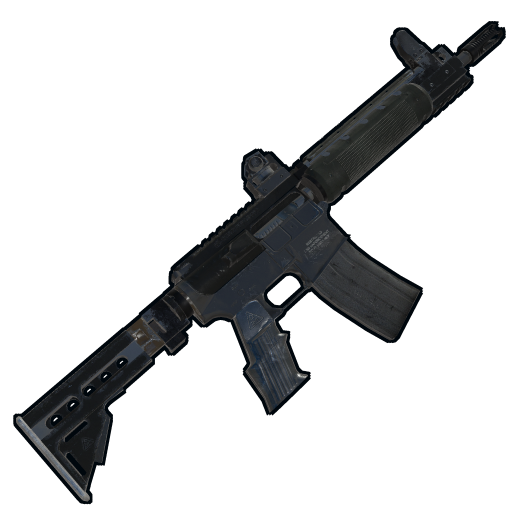
And then upload that file "rifle.lr300.png" to my /serverfiles/oxide/data/ServerRewards/Images folder (I had to create this folder myself)
Then if I do an oxide.reload ServerRewards then when I do a /s and go to items -> Weapons, boom it all works...
I have to do this for each and every item that is added through rewards add item <shortname> <quantity> <price> which sucks so so very much.
I guess we sit and wait for an update from the plugin author...
Hopefully this all helps someone else...
In response to HerpDerp ():I too have had this issue. Centos7x64 server with LGSM.
I've just spent 2 hours trying to...
In response to braxhusky ():I am also on CentOS
Soooooo after reading one guys solution i decided to use ssh and download all the images manually to a directory using the below command. Which should work, however It seems that its downloading unrelated images and nothing from the correct directory of https://rustedit.io/images/imagelibrary
wget -nd -r -P /save/location -A jpeg,jpg,bmp,gif,png http://www.somedomain.com
PS im not good in anyway at using linux so my commands are rusty XD however google was wonderful in this situation.
@Nikorasu@braxhusky you guys are probably far more familiar with how to use linux correctly - what command could we use to download ALL the images from the specified directory rustedit.io/images/imagelibrary and not just from rustedit.io