Basically I would like to know if I can put more than one SkinID on a pants or choose depending on which npc you buy has one skin or another.
SkinID for more than one pants, for example?Not An Issue
You can set a custom item each with different skin IDs all being pants or anything with no issues. Just name them differently like this. + add the image URL links even if you wanted and ImageLibrary will cache them for you.
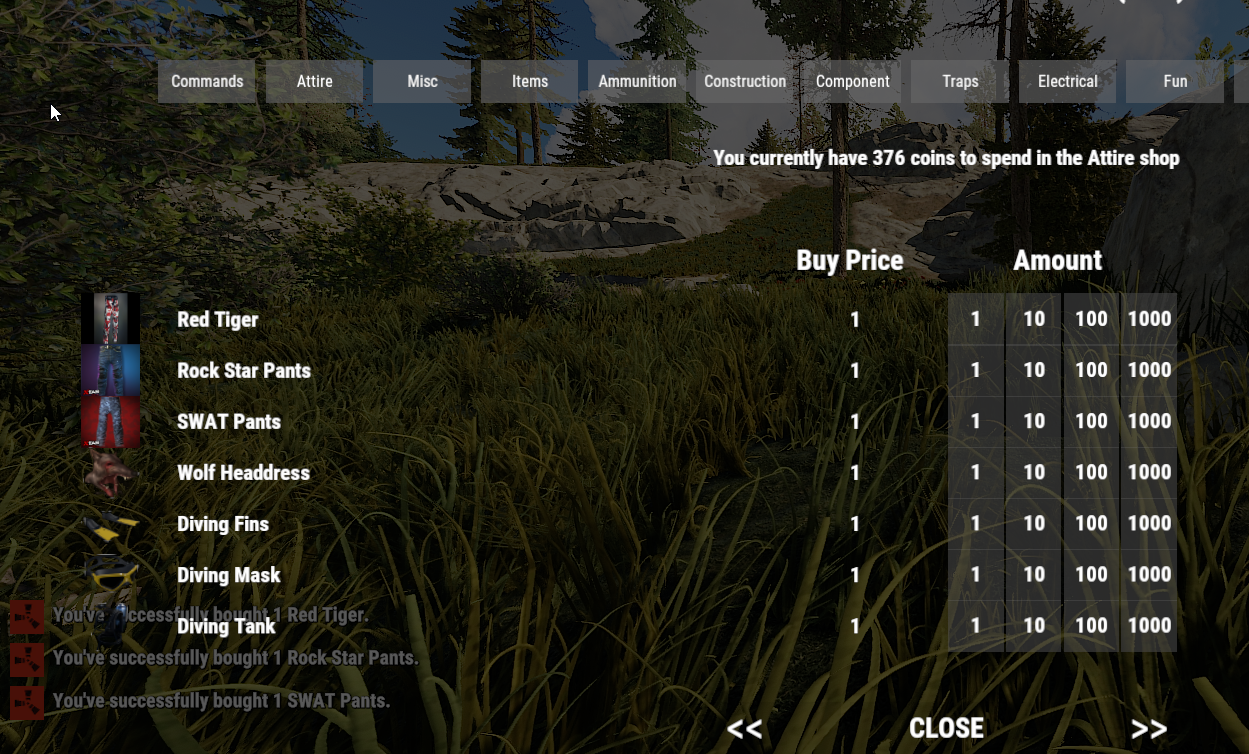
"Red Tiger": {
    "DisplayName": "Red Tiger",
    "Shortname": "pants",
    "EnableBuy": true,
    "EnableSell": true,
    "Image": "https://steamuserimages-a.akamaihd.net/ugc/939446578512512652/3650D12E83F75C07FB1A0B94E490A9F4F4D45F84/?imw=637&imh=358&ima=fit&impolicy=Letterbox&imcolor=%23000000&letterbox=true",
    "SellPrice": 1.0,
    "BuyPrice": 1.0,
    "BuyCooldown": 0,
    "SellCooldown": 0,
    "KitName": null,
    "Command": null,
    "SkinId": 1424351317
},
"Rock Star Pants": {
    "DisplayName": "Rock Star Pants",
    "Shortname": "pants",
    "EnableBuy": true,
    "EnableSell": true,
    "Image": "https://steamuserimages-a.akamaihd.net/ugc/352773107407225581/E5D2B3CBF80D6A524E8A8C99D94EEDC3C4389EAA/",
    "SellPrice": 1.0,
    "BuyPrice": 1.0,
    "BuyCooldown": 0,
    "SellCooldown": 0,
    "KitName": null,
    "Command": null,
    "SkinId": 613481508
},
"SWAT Pants": {
    "DisplayName": "SWAT Pants",
    "Shortname": "pants",
    "EnableBuy": true,
    "EnableSell": true,
    "Image": "https://steamuserimages-a.akamaihd.net/ugc/306614201814006112/E42986442690FBA1922971559505F9B58FE4258B/",
    "SellPrice": 1.0,
    "BuyPrice": 1.0,
    "BuyCooldown": 0,
    "SellCooldown": 0,
    "KitName": null,
    "Command": null,
    "SkinId": 636287180
},
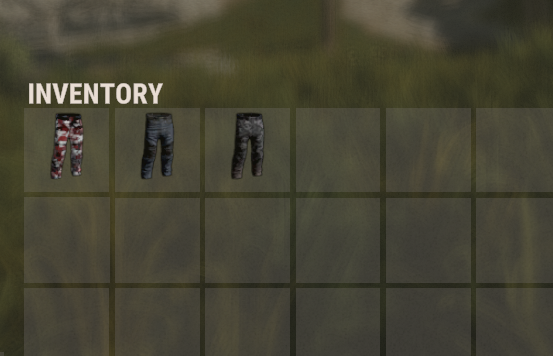
To add them to the cache, the url I put in ImageLibrary's image_urls file?
Merged post
It makes me load the image but it really looks like this, is it normal?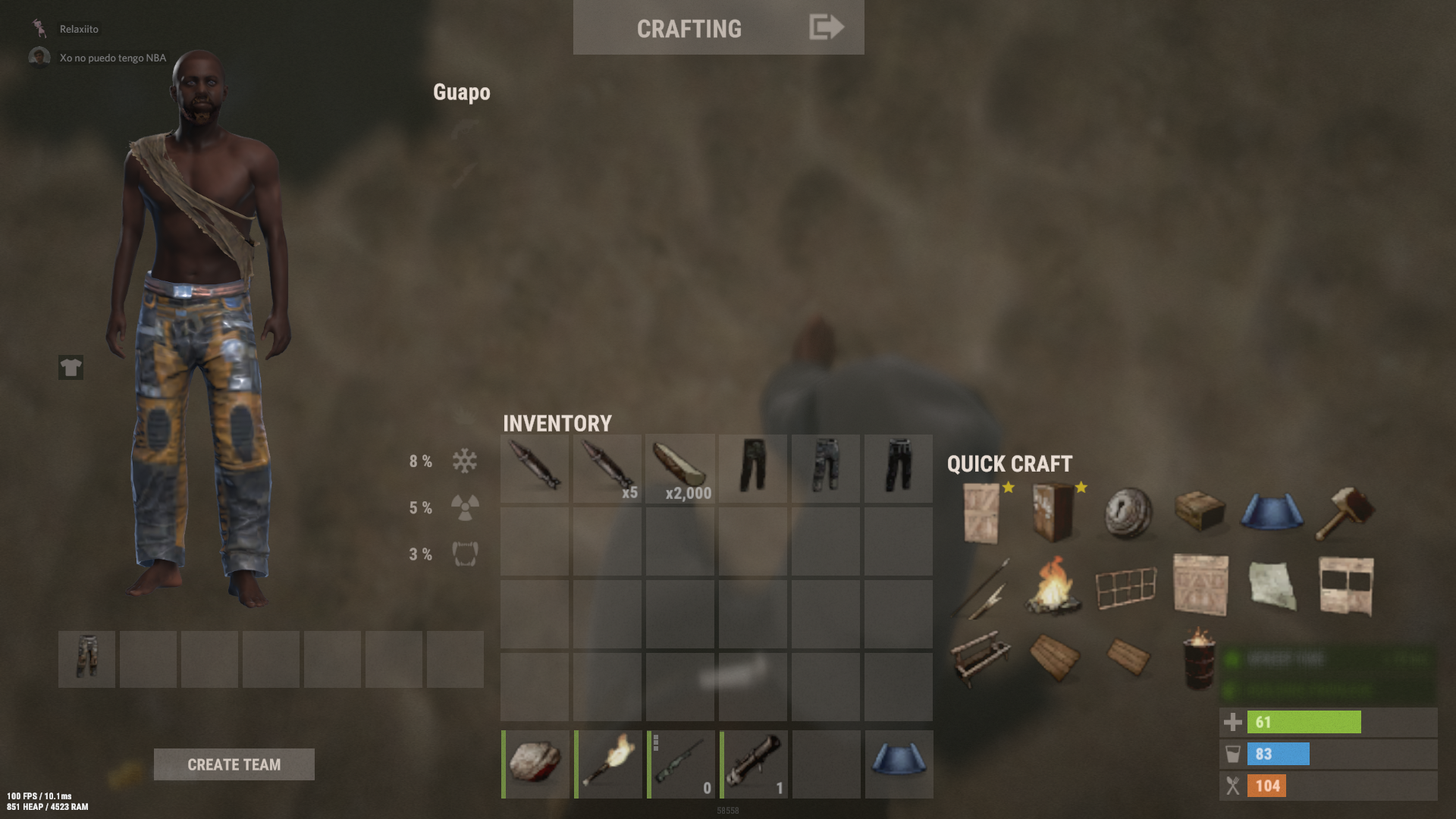
Merged post
It doesn't really load the skin in the game, it is only seen in the inventory, but it sets the default skin
What? No... you just put the links In the GUIShops config file like you would with any other shop item. Like i did in the example above ^
Merged post
If your rust Client itself isn't showing you the Skins make sure you allow steam game downloads in the background for the rust workshop. If you don't then the skins won't ever load for you.

"Deporte": {
"DisplayName": "Deporte",
"Shortname": "pants",
"EnableBuy": true,
"EnableSell": true,
"Image": "https://i.imgur.com/q11Utpv.png",
"SellPrice": 1.0,
"BuyPrice": 1.0,
"BuyCooldown": 0,
"SellCooldown": 0,
"KitName": null,
"Command": null,
"SkinId": 1740505052
},
This is how I put it, but within the game you can't see the pants, you see the default
Merged post
Okay, that's what I meant, everything was fine but it doesn't load the image hahaha, sorry I don't know much about English ...
Merged post
I realized that I am allowed to download in the background but it does not download anything from the workshop
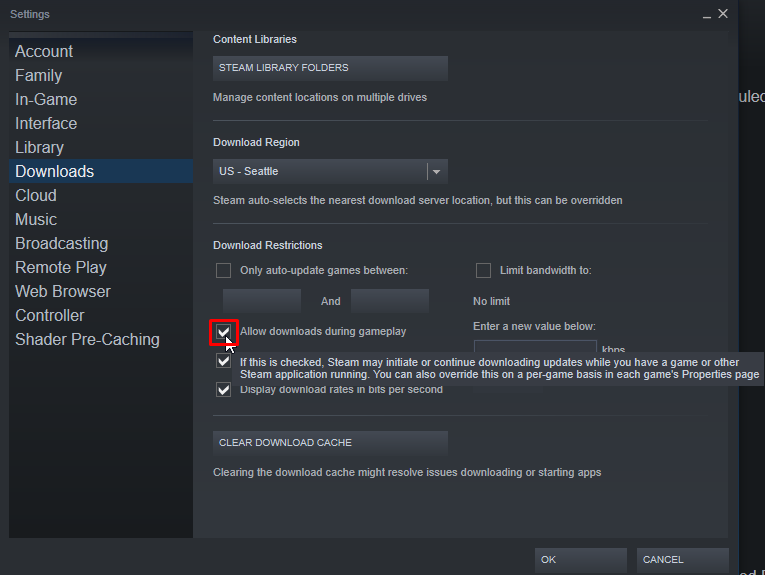
So you have enabled allow downloads during gameplay? You may need to close the game and re-open it after changing the setting or closing steam and re-open it.
Merged post
I just added yours to the test config and it works fine for me.
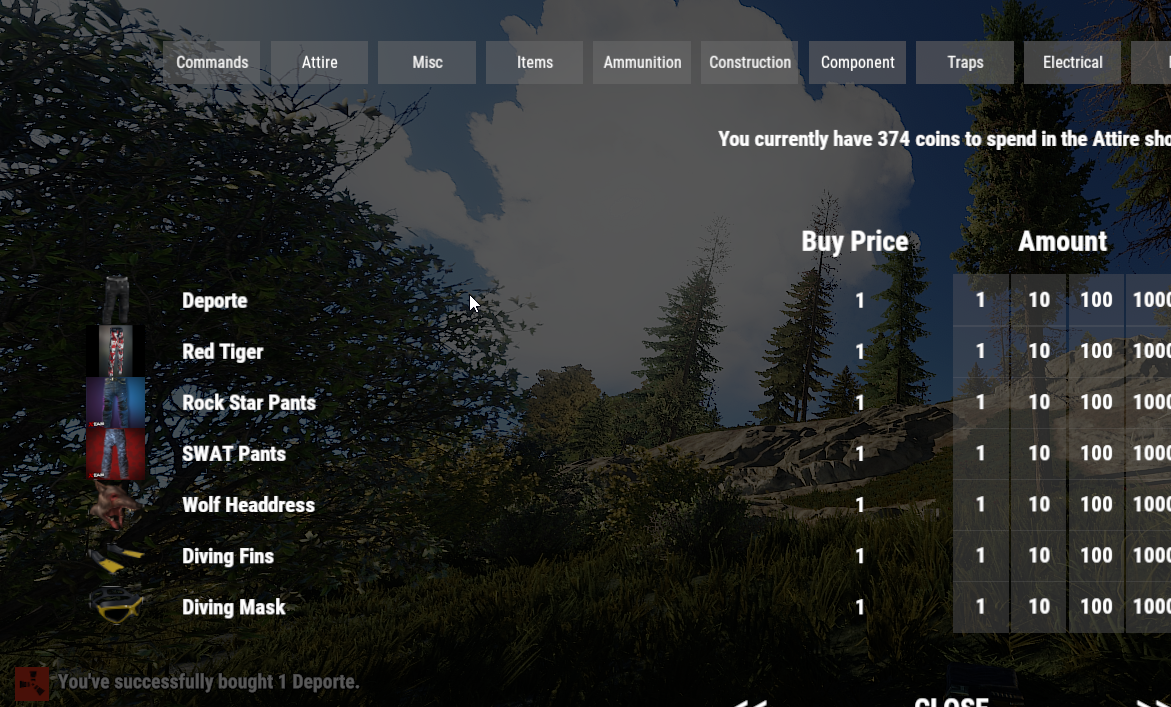
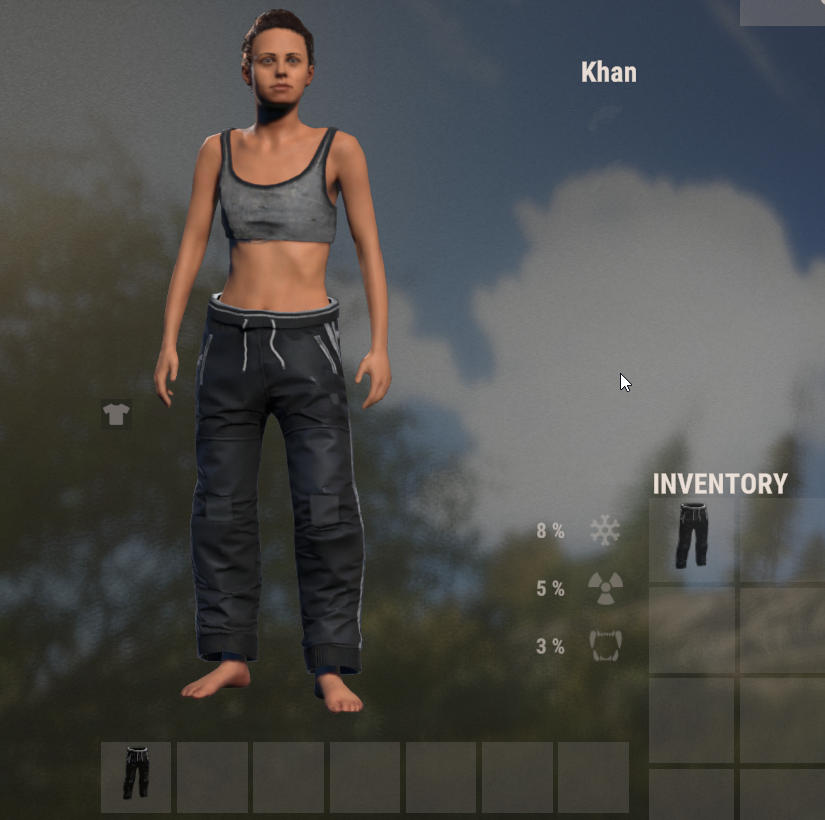
Well, no, I put the box to download in the background too, restart steam but it doesn't work for me, do I have to restart the server as well?
Merged post
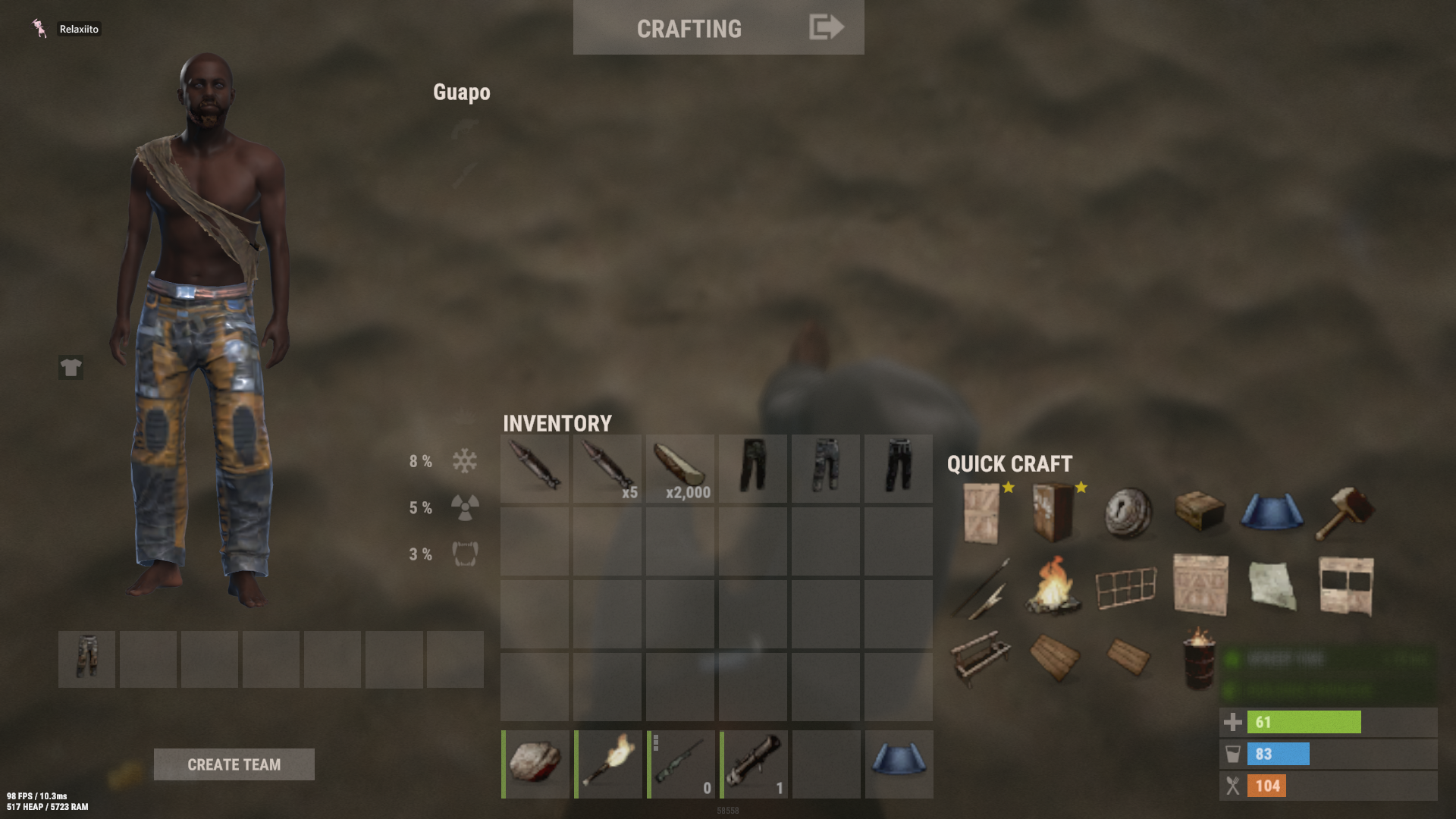
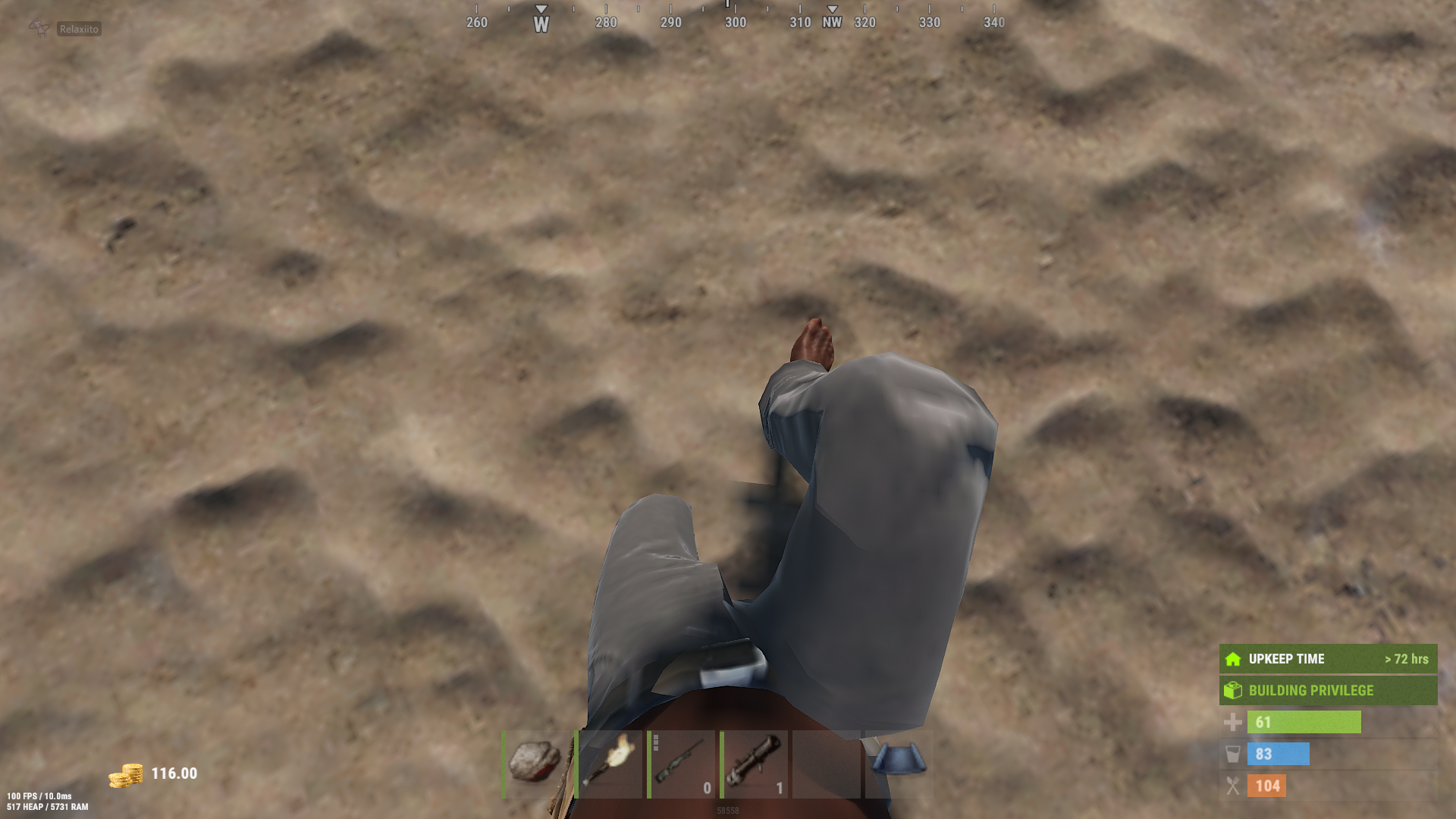 I do not understand why
Merged post
I am taking the ids out of here-> https://umod.org/documentation/games/rust/definitions#skins
No, just reload the plugin. After changing the config you will always have to reload the plugin. o.reload GUIShop
Assuming you set up the shop correctly and have ImageLibrary installed.
The shop you want it in.
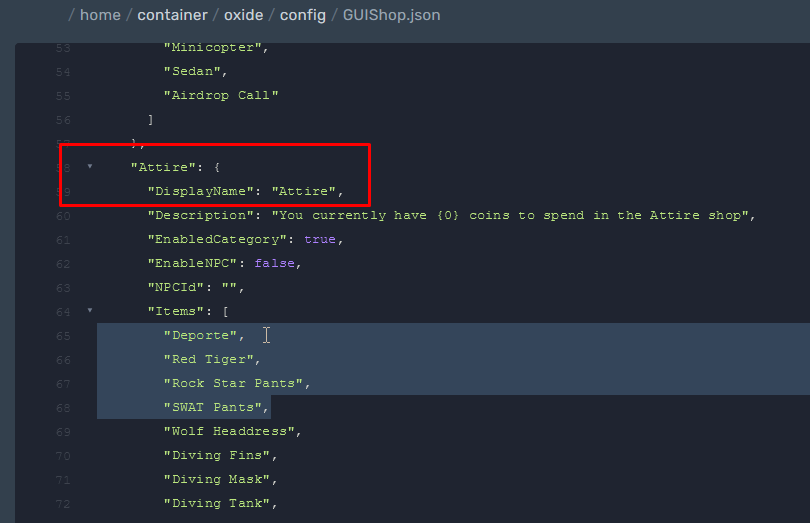
+ Custom item creations down below "Shop - Shop List"
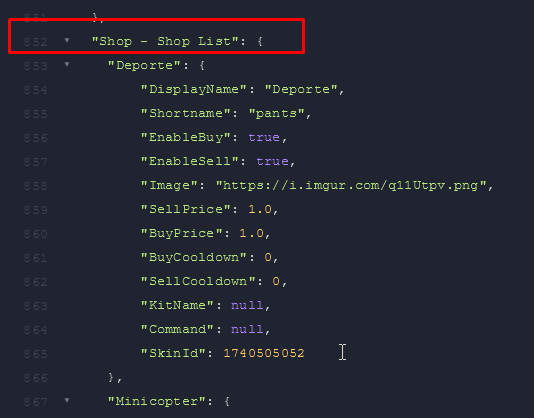
Merged post
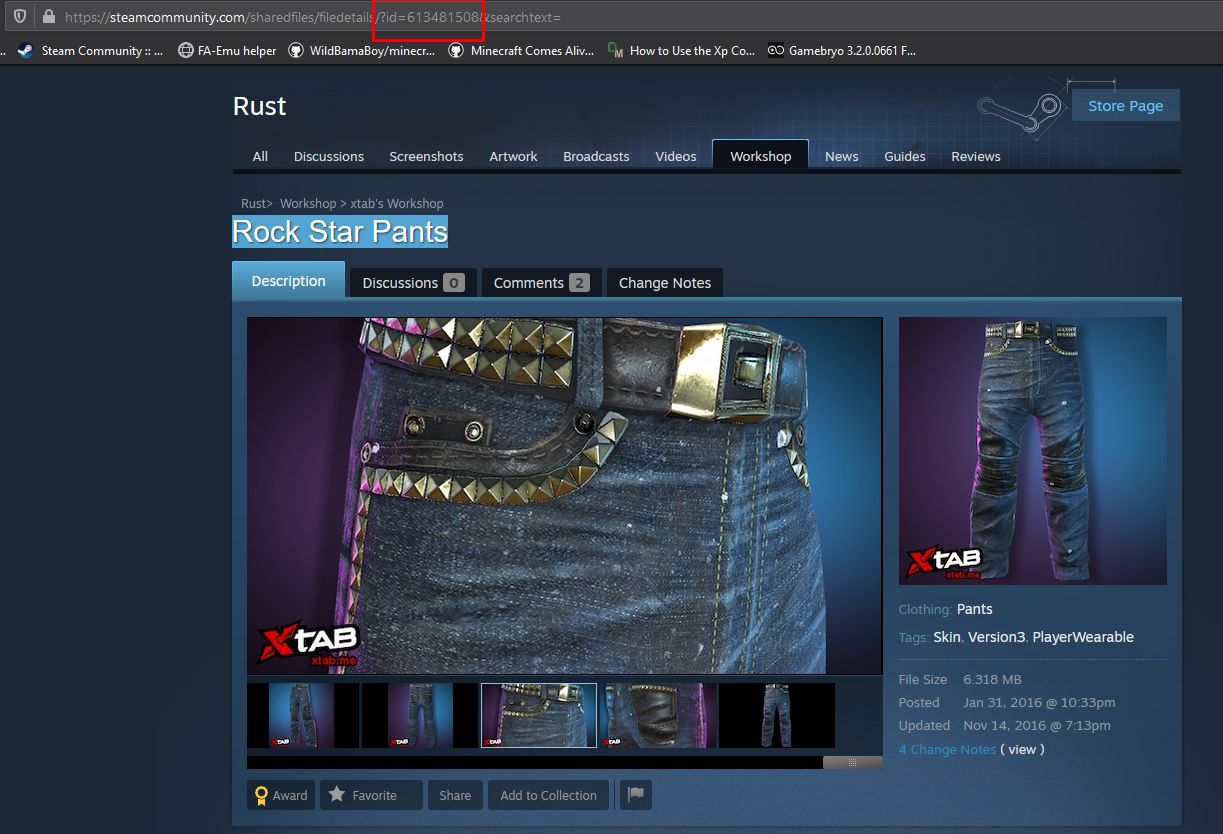
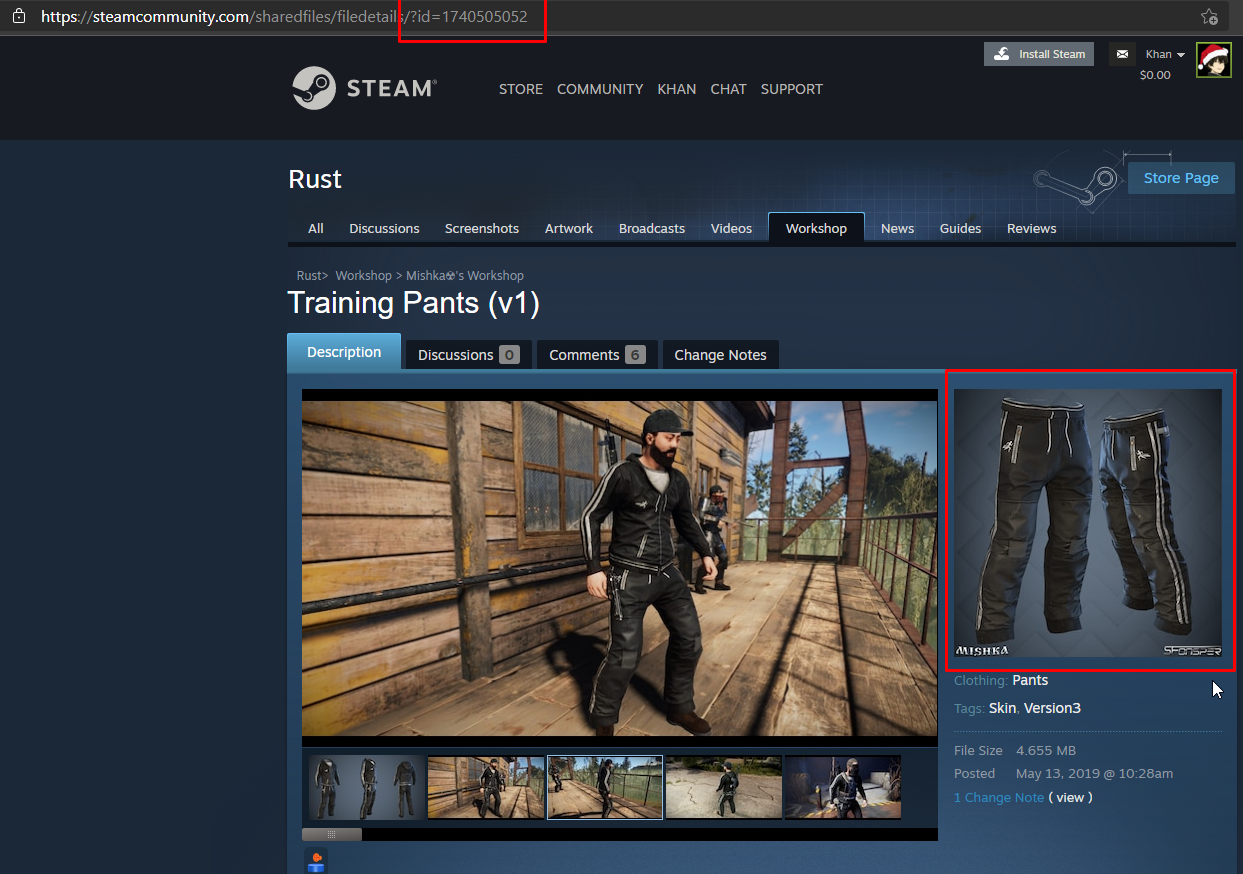
You get the skinID's off the rust workshop store links
"Attire": {
"DisplayName": "Attire",
"Description": "Actualmente tienes {0} dolares para gastar ",
"EnabledCategory": true,
"EnableNPC": false,
"NPCId": "",
"Items": [
"Deporte",
"Wolf Headdress",
"Diving Fins",
"Diving Mask",
"Diving Tank",
"Wetsuit",
"Frog Boots",
"Burlap Gloves",
"Leather Gloves",
"Hide Halterneck",
"Beenie Hat",
"Boonie Hat",
"Burlap Headwrap",
"Candle Hat",
"Baseball Cap",
"Bone Helmet",
"Miners Hat",
"Party Hat",
"Wood Armor Helmet",
"Hoodie",
"Bone Armor",
"Snow Jacket",
"Jacket",
"Wood Chestplate",
"Improvised Balaclava",
"Bandana Mask",
"Burlap Trousers",
"Hide Pants",
"Shorts",
"Wood Armor Pants",
"Pants",
"Hide Poncho",
"Burlap Shirt",
"Shirt",
"Hide Vest",
"Tank Top",
"Burlap Shoes",
"Hide Boots",
"Hide Skirt",
"Longsleeve T-Shirt",
"T-Shirt",
"Bunny Ears",
"Bunny Onesie",
"Card Movember Moustache",
"Movember Moustache",
"Sunglasses",
"Purple Sunglasses",
"Headset",
"Reindeer Antlers",
"Santa Beard",
"Santa Hat",
"Electricista",
"Conquistador",
"Army"
]
},
the code itself is ok,could it be because of imageLibrary?
Merged post
Well, the fault is in that, that I did not get the id of the workshop ... I took it out of the page that happened to you.
{
  "Avatars - Store player avatars": false,
  "Steam API key (get one here https://steamcommunity.com/dev/apikey)": "**********************************",
  "URL to web folder containing all item icons": "https://www.rustedit.io/images/imagelibrary/",
  "Progress - Show download progress in console": true,
  "Progress - Time between update notifications": 20,
  "User Images - Manually define images to be loaded": {},
  "Version": {
    "Major": 2,
    "Minor": 0,
    "Patch": 56
  }
}
in imagelibrary I have my apy and the rest default
The pants wore in the pic are the same pants as seen/shown in the workshop. As seen in the pics above from when I tried your code snippet for the config.
Again you must add it as a new Item and not over-ride the default one.
Else it will just auto-generate the missing game item at the bottom of the config, if you wish to remove the old (OG) pants from the shop just remove the name Pants from the shop and keep the item below as is.
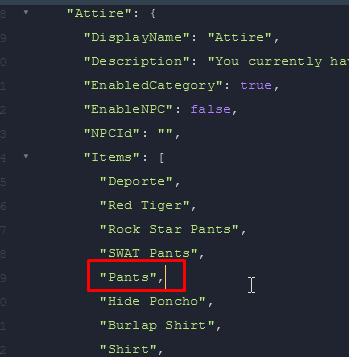
Please go to paste bin and just send me your config link for guishop or add me on discord and drag the whole config into a private msg so I can just fix it for you.
Khan#8615
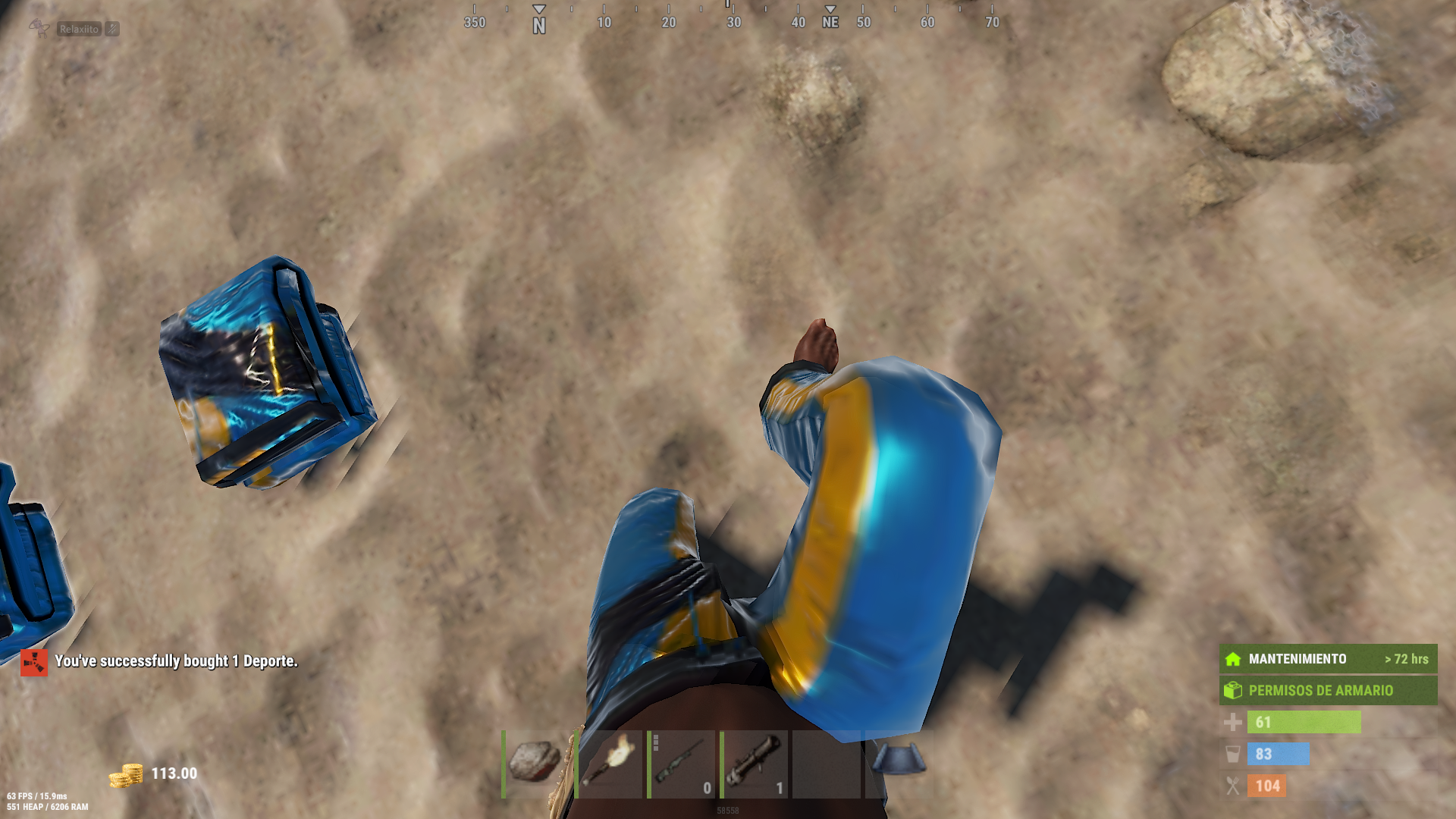
I fixed it, look for an id in the workshop, edit the one I had and at least this one already works.
Merged post
ok with this I did not get it ...
Merged post
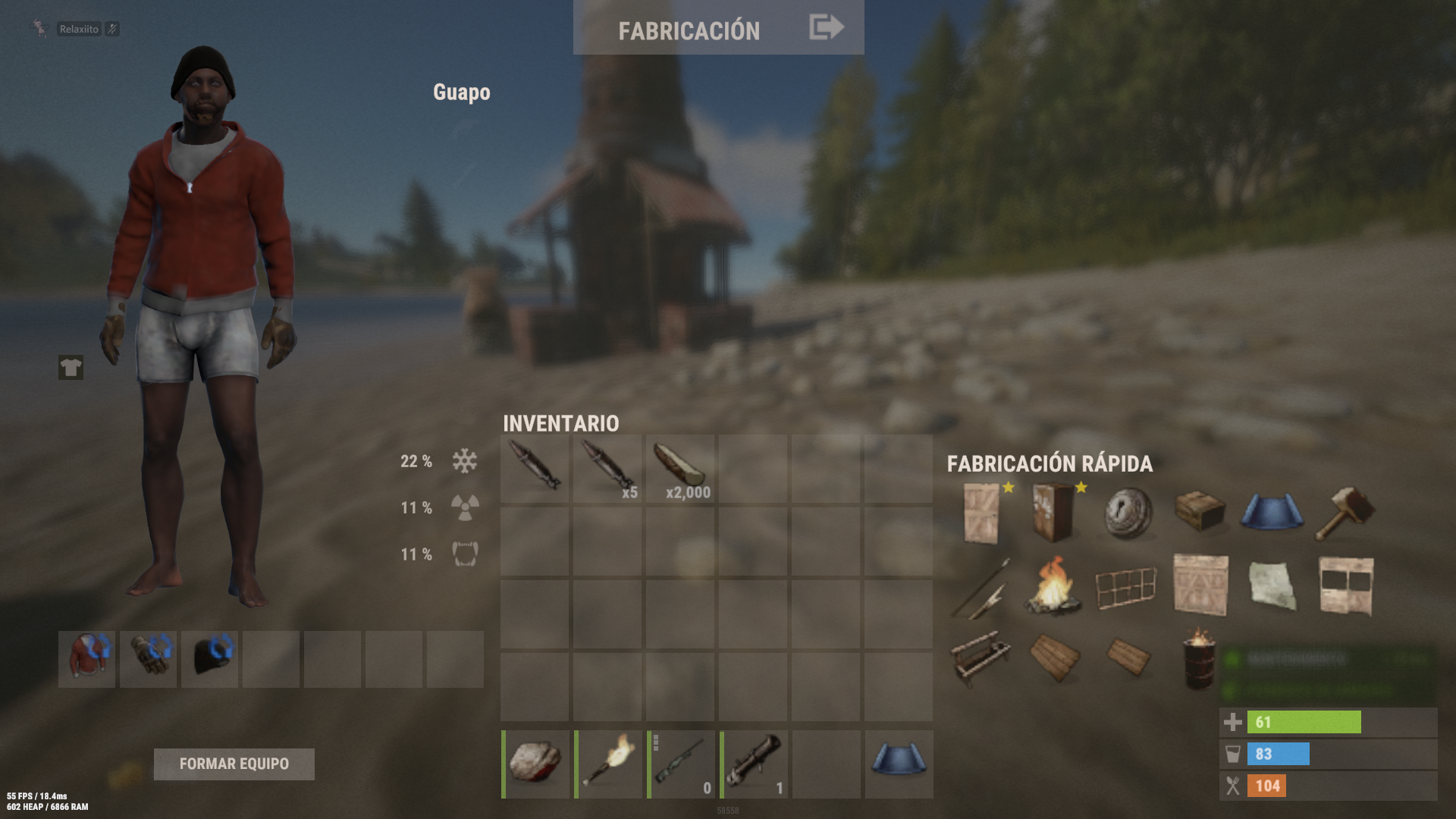
now I get a workshop error xd ...
Merged post
I added you to discord
Locked automatically