How to remove Oxide from my server (with a host)

So I'm currently usuing my friends server host for Rust that he made, it typically runs my seerver really well with no problems but I've beeen having one particular issue with the server and the issuee is based around Oxide so, I was wondering how I would go about completely removing Oxide from my server and theen re-adding it to my server so that I could test to see if this fixes my issue. 


Here's what his host looks like right now, normally I'd ask him how to do this stuff with his host but he doesn't seem to answer me much so, just thought I'd ask here and see if anyone on here knew how to uninstall and reinstall oxide from a server hosting site and not a dedicated server hosted on your pc.
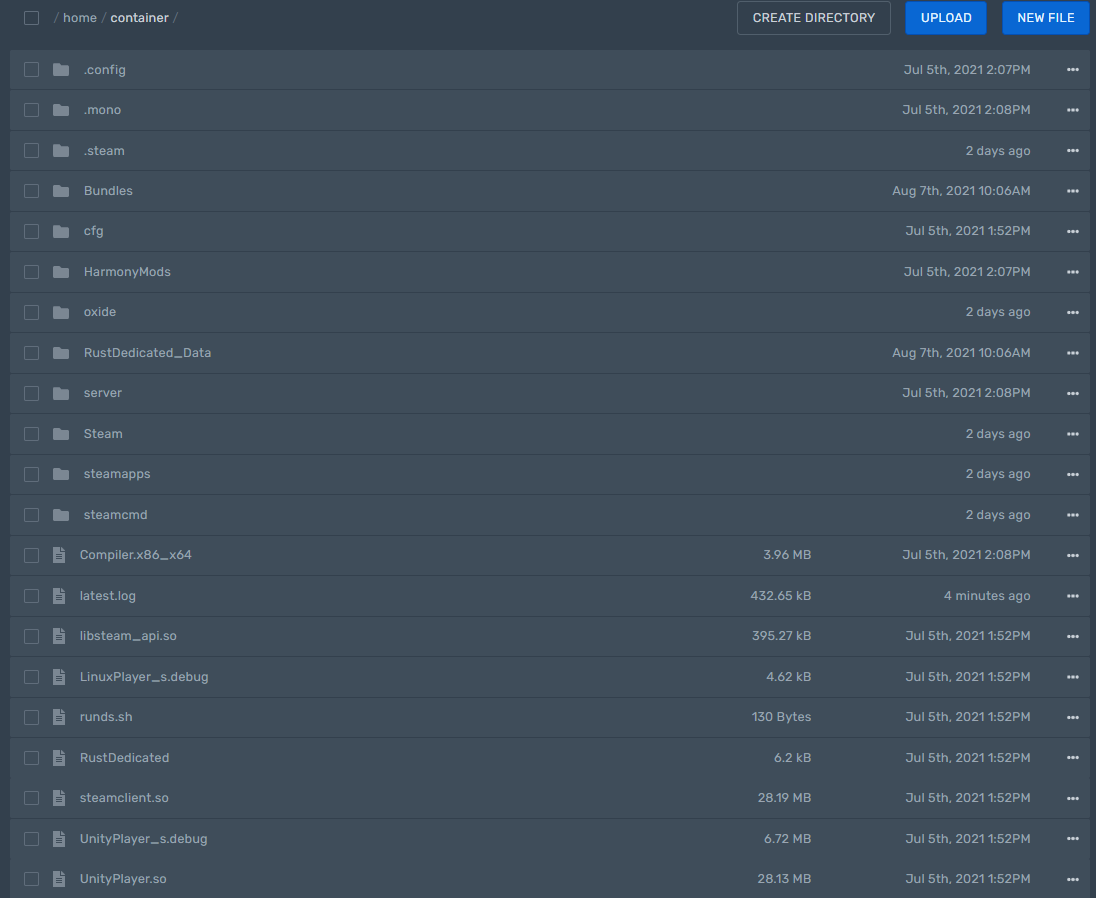

To remove Oxide you can delete Managed folder, disable its installation in settings and then run steamcmd with validate option. Not sure if default Pterodactyl egg includes this.

This is what my friends host settings are: https://media.discordapp.net/attachments/754346179768352868/874629523365326868/unknown.png

Merged post

I'd preesume I use this though and set this 1 from True to 0 false

Merged post

Would I also run the steamcmd command through my console sinceee its a online host and not my pc hosting the server or would I still do the whole steamcmd thing like I would if I was hosting the server on my pc? (Sorry if I'm not making any sense, just trying to figure this all out so I can geet my server fixed)

Simply running a normal update/install of Rust would uninstall Oxide. Setting that setting to 0 would also likely be necessary.