Server enable: rcon.web true
server.port 28015 UDP allow
rcon.port 28016 TCP allow
I start rust server by server.cfg
I cant login to this website:
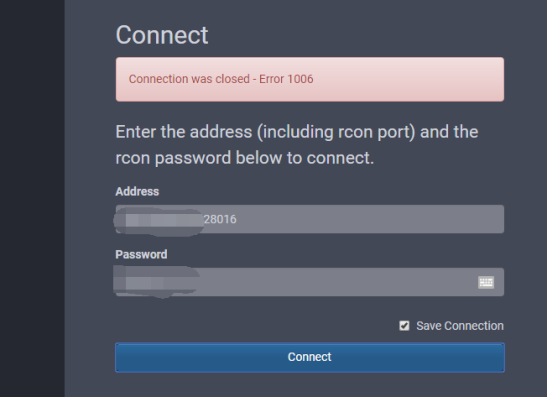
http://facepunch.github.io/webrcon

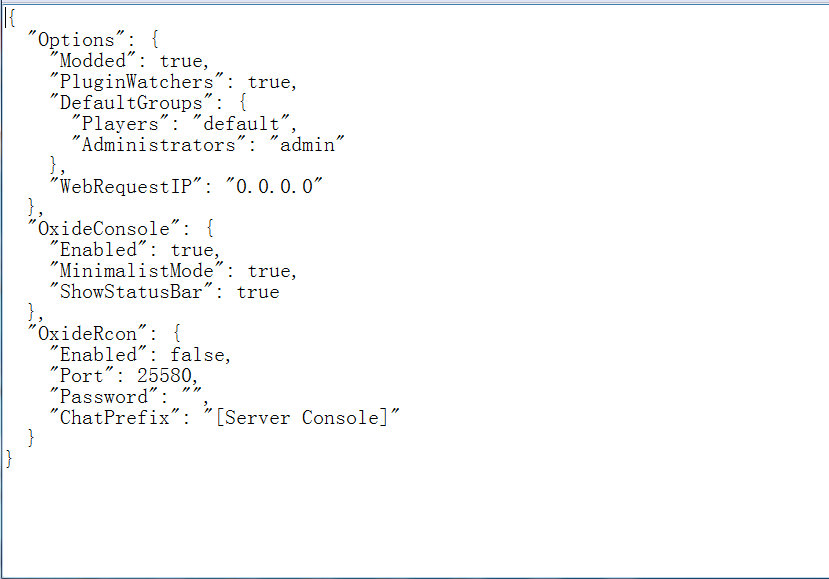
Do you have OxideRcon set to true under oxide.config.json? If so, set it to false and restart.
Wulf
Do you have OxideRcon set to true under oxide.config.json? If so, set it to false and restart.
So thanks.
OxideRcon is false
Do you have any symbols in your RCON password? If so, make sure to remove those and only use letters and numbers.
Password 57lMFHY2
Where are you setting the password?
Wulf
Where are you setting the password?
Ubuntu 18.04
All setting is in server.cfg
rcon.port 28016
rcon.password "Kjf125bn"
rcon.web "True"
They need to be in your start script, they will not work from server.cfg.
ok.
thanks
but I google many video to learn
I dont know how to set it in start.bat on Ubuntu
Start script, not server.cfg. logfile, nographics, silent-crashes will also not work there. That server.cfg file is only for commands, not server arguments.
I just know server.cfg
I dont know set it in Start.bat on Ubuntu
However you start your server is where they would be set. You would need a .sh if hosting yourself, or else another method that passes command-line arguments to RustDedicated.
Wulf
Start script, not server.cfg. logfile, nographics, silent-crashes will also not work there. That server.cfg file is only for commands, not server arguments.
So thanks.
Great Sir
Merged post