So i took a break from rust for about 6 months, before, I used to make rust servers all day long without a problem, same contract to the same ISP, same router, same settings. Couple days ago i tried to make a rust server and I failed, I tried 100 forums, called my ISP 32 times, talked to 43 experts and no luck. The problem is the following : the port 28015 won't open. All settings in the router are fine so I don't think there's a need for me to upload those but on demand ill be more than happy to do so. I followed the valve rust dedicated server setup tutorial 1:1 as i always do and i copied this batch file :
echo off
:start
RustDedicated.exe ^
-batchmode ^
+rcon.port 28016 ^
+rcon.password rustyroll1452 ^
+server.port 28015 ^
+server.level "Procedural Map" ^
+server.seed 1234 ^
+server.worldsize 1000 ^
+server.maxplayers 10 ^
+server.hostname "Test" ^
+server.description "Test" ^
+server.url "http://rustyroll.com" ^
+server.headerimage "" ^
+server.identity "server1" ^
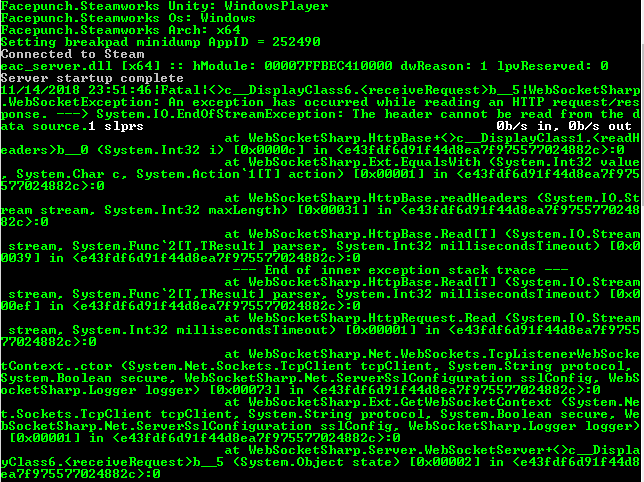
goto startThis is an error I get :
Here im testing the port with the server opened :

I can connect through localhost:28015, my friends from outside my LAN can not.
There is definetly something wrong with the configuration or something in the files of the server and I would really need some help.
Thank you.
By the way, here are the router's settings : https://imgur.com/a/o2ZvMDi