Please implement ImageLibrary, so that the backpack icon doesnt look like a blur when players have their graphic settings on low. Thank you!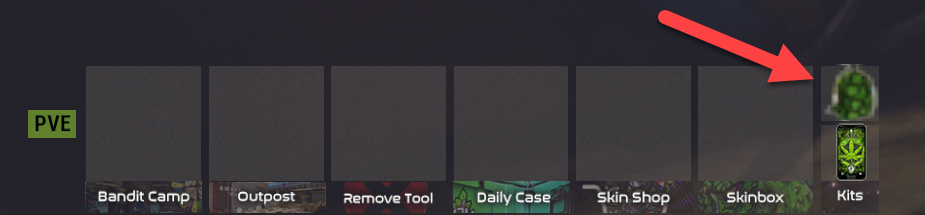
ImageLibrarySolved
I'm working on a newer version of the plugin which provides a few options for this.
[Planned] Skin ID option
How to use: There sill be a "skin ID" option in the config which you can set to Steam workshop skin of your choice.
How it works: When the server sends the UI to the client, the client will try to display the specified skin icon. If the client already has the skin cached, it will display immediately. If the client doesn't have the skin cached, it will load it from disk or download it from the Steam Workshop, then display it. While the client is fetching the skin icon, an alternative unskinned item icon will be displayed, such as the saddle bag icon.
- Advantage: Minimal load on the Rust server, since clients download the image from Steam, not from the Rust server.
- Disadvantage: Someone must upload the backpack icon as a workshop skin.
[Planned] Inline image content (base64-encoded)
How to use: There will be a config option where you can paste in the base64-encoded content of a PNG. To get the base64-encoded content of an image, simply use a search engine to find a website that base64-encodes images (google "base64 image encoder"), drag-and-drop your image into that website, then copy/paste the output into your config. Takes 5 minutes.
How it works: When the plugin loads, it will decode the image content from the config and save it in the Rust server files database. When the server sends the UI to the client, the client will try to display the specified file. If the client already has that file cached, it will display immediately. If the client doesn't have the file cached, it will load it from disk or download it from the Rust server, then display it. While the client is fetching the file, there may be a brief loading icon. This is basically how the Image Library plugin works, with the exception that Image Library will first download the image from a URL before saving its content to the files database.
- Advantage: No dependency on Image Library or external websites.
- Disadvantage: Requires you to base64-encode the image yourself, but this takes only a few minutes.
- Disadvantage: The config is mucher longer, and therefore possibly harder to read, if you have word-wrap enabled in your editor.
[Under consideration] Integrate with Image Library
How to use: No change to the config, but Image Library must be installed.
How it works: When the plugin loads, it will call Image Library to tell it to download and cache the image. This is very simliar to the base64-encoded option but requires downloading the image. If Image Library is not present, the plugin will fall back to the current approach where the client downloads the image from the web, which is subject to reduced image quality if the client has low graphics settings.
- Advantage: Configuration of the plugin does not change.
- Disadvantage: Depends on Image Library.
- Disadvantage: Depends on an external website to fetch the image.
- Disadvantage: Subject to delays if Image Library's download queue is backed up.
- Disadvantage: (Needs Investigation) Might prevent updating the icon easily, if you decide to change the icon.
[Under consideration] Custom image downloader
How to use: No change to the config.
How it works: When the plugin loads, it will download the image from the configured URL, then save it in the server files database. The rest is the same as the base64-encoded approach.
- Advantage: Don't have to base-64 encode the image yourself.
- Advantage: No dependency on Image Library.
- Disadvantage: Depends on an external website to fetch the image. Some servers have been historically unable to do so because of where they are hosted. This may not matter to you, but as the plugin maintainer, I have consider this option.
Rust recently changed the rendering of images loaded over URLs so they are no longer blurry on low graphics settings.
Thank you!
BOOBLEJ
Thank you!
can you change status to solved :)
Locked automatically